3DS

Overview
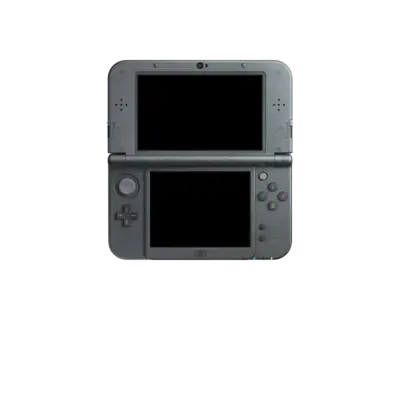
Released in 2011 by Nintendo, the 3DS family is a dual‑screen handheld focused on autostereoscopic 3D visuals and modern portability. The base system pairs a dual-core 268 MHz ARM11 MPCore CPU with a secondary ARM9 coprocessor plus 128 MB of RAM, while later "New Nintendo 3DS" revisions added a quad-core 804 MHz ARM11, 256 MB of RAM, extra shoulder buttons and a C-stick. All games provide a slider to scale or disable the 3D effect, ensuring every title functions in traditional 2D as well.
In REG-Linux the platform lives under the 3ds system group so metadata scraping, themes and visual sets can treat Nintendo 3DS titles consistently.
Technical specifications
- Manufacturer: Nintendo
- Release year: 2011
- Hardware type: portable
- CPU: dual-core 268 MHz ARM11 MPCore + ARM9 (New 3DS adds quad-core 804 MHz ARM11)
- RAM: 128 MB (New 3DS: 256 MB)
- Region: Worldwide
Supported ROM extensions
3ds, 3dsx, cci, cxi, cia, axf, elf, app
Quick reference
- ROM folder:
/userdata/roms/3ds - Accepted formats:
.3ds,.3dsx,.cci,.cxi,.cia,.axf,.elf - Emulators: Citra, libretro: Citra
- AES keys path (for encrypted dumps):
/userdata/saves/3ds/citra-emu/sysdata/ - System group:
3ds
BIOS
No separate BIOS files are required for any Nintendo 3DS emulator used in REG-Linux; firmware handling is built into the emulator binaries.
ROM storage and formats
Store every Nintendo 3DS image in /userdata/roms/3ds/. REG-Linux recognizes multiple closely related formats, so it is useful to understand how they map to physical media and installed content.
NCSD-style images (cart dumps)
These are raw gamecard dumps similar to cartridge backups and appear most commonly as .cci files (many users rename them to .3ds). They represent the data found on the cartridge itself.
NCCH-style images (installable titles)
These match the format used by the console when installing software internally. Expect to see .cia and .cxi extension for retail and digital downloads respectively. Exported titles from the eShop typically arrive as CIA archives.
Many tools can convert between .cia, .cci and .3ds without losing content, but those workflows fall outside REG-Linux documentation and are covered by the broader 3DS homebrew community.
Encryption
Each of the formats above may be encrypted or decrypted; the extension alone does not guarantee the data state. REG-Linux strongly recommends decrypted ROMs because they run immediately without additional setup.
When encrypted dumps are unavoidable, Citra can decrypt them using AES keys placed at /userdata/saves/3ds/citra-emu/sysdata/. Obtaining and extracting these keys from your own hardware should be handled via the official Citra AES keys guide and related homebrew resources. REG-Linux does not provide these files.
Emulators
Citra
Citra is the principal standalone Nintendo 3DS emulator bundled with REG-Linux. It handles a large portion of the library at playable speed on modern hardware, though some titles still exhibit rendering issues or performance quirks. Official online services are not emulated, and LAN multiplayer must be configured manually following the Citra documentation.
Citra configuration
Common settings exposed for the Citra builds included with REG-Linux are 3ds.videomode and 3ds.ratio.
| ES setting name REG-Linux.conf_key | Description => ES option key_value |
|---|---|
| Settings that apply to all cores of this emulator | |
SCREEN LAYOUT 3ds.citra_screen_layout |
Adjusts how the dual screens appear on your display, useful for widescreen setups or streaming. => top/bottom 4-false, bottom/top 4-true, left/right 3-false, right/left 3-true, top only 1-false, bottom only 1-true, hybrid top ratio 4 2-false, hybrid bottom ratio 4 2-true. |
VIDEO RESOLUTION 3ds.citra_resolution_factor |
Scales the internal 3D render target for crisper models. Higher factors demand more GPU performance. => Native (400x240) 1, 2x (800x480) 2, 3x (1200x720) 3, 4x (1600x960) 4, 5x (2000x1200) 5, 6x (2400x1440) 6, 7x (2800x1680) 7, 8x (3200x1920) 8, 9x (3600x2160) 9, 10x (4000x2400) 10. |
VSYNC 3ds.use_vsync_new |
Reduces screen tearing at the cost of some CPU/GPU load. => Off 0, On 1. |
FRAME LIMIT 3ds.citra_use_frame_limit |
Keep this On to stay closer to original speeds. Off lets some games run too fast. => Off 0, On 1. |
DISK SHADER CACHE 3ds.citra_use_disk_shader_cache |
Saves generated shaders to disk to reduce stutter when revisiting sections. => Off 0, On 1. |
CUSTOM TEXTURES 3ds.citra_custom_textures |
Enables HD texture packs; large packs will increase load times. => Off 0, On 1-normal. |
IS NEW 3DS 3ds.citra_is_new_3ds |
Forces New 3DS mode with faster CPU and extra inputs. Some games benefit, others behave identically. => Off 0, On 1. |
RetroArch
RetroArch is the libretro frontend that exposes multiple emulator cores under a unified interface. Any 3DS core loaded through RetroArch inherits the platform's standard menus, overrides, shaders and input hotkeys.
RetroArch configuration
Open the Quick Menu with [HOTKEY] + the south face button to adjust advanced RetroArch settings, controller mappings and per-core options. REG-Linux also surfaces many of the same options through EmulationStation menus.
Standardized features across libretro cores for this system include 3ds.videomode, 3ds.ratio, 3ds.smooth, 3ds.shaders, 3ds.pixel_perfect, 3ds.decoration and 3ds.game_translation.
| ES setting name REG-Linux.conf_key | Description => ES option key_value |
|---|---|
| Settings that apply to all cores of this emulator | |
GRAPHICS BACKEND 3ds.gfxbackend |
Select the rendering API. OpenGL is broadly compatible; Vulkan may boost performance on newer GPUs. => OpenGL opengl, Vulkan vulkan. |
AUDIO LATENCY 3ds.audio_latency |
Adjust the buffer in milliseconds. Increase if you hear pops/crackles, decrease once audio is stable to reduce latency. => 256 256, 192 192, 128 128, 64 64, 32 32, 16 16, 8 8. |
THREADED VIDEO 3ds.video_threaded |
Offloads video work to another thread for better performance on weaker CPUs at the cost of added latency. => On true, Off false. |
libretro: Citra
The libretro Citra core brings core Citra functionality into RetroArch so you can share shaders, overlays and hotkeys with other libretro cores. Adjust per-game settings through the RetroArch Quick Menu just like other libretro titles.
Controls
The default Nintendo 3DS layout maps to the REG-Linux Retropad. Use the standard controller configuration tools to adjust mappings per-core or per-game when needed.

Troubleshooting
"Could not Determine System Mode" / "Failed to Decrypt"
These messages usually mean an encrypted image is missing AES keys. Decrypted dumps avoid these issues, but if you need encrypted content:
- Place the AES keys file at
/userdata/saves/3ds/citra-emu/sysdata/. - Double-check the filename/path matches Citra's documentation.
- Refer to Citra's AES keys guide and Citra's FAQ for detailed steps.
Per-game issues
For rendering glitches, crashes or performance drops:
- Review Citra's FAQ and compatibility notes for the specific title.
- Try the latest Citra build with a clean configuration where possible.
- If the problem persists and looks emulator-specific, consult the Citra help section and community resources.