Amiga CD32
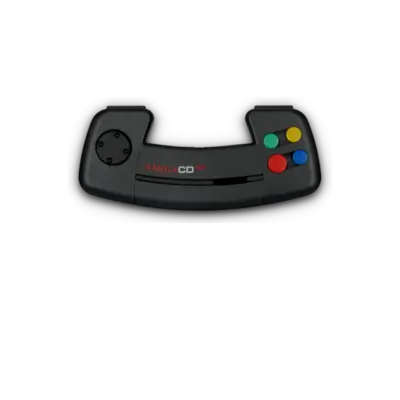

Overview
The Amiga CD32 is a 32-bit console built on Amiga 1200/AGA hardware with an integrated CD-ROM drive and gamepad-focused controls. Despite its limited library it remains notable as one of the earliest CD-based consoles. REG-Linux treats this platform as amigacd32 so compatible themes can show the dedicated visual set.
Technical specifications
- CPU: Motorola 68EC020 at 14.3 MHz
- RAM: 2 MB Chip RAM and optional 1 MB Fast RAM (jumper-selectable)
- Display: AGA chipset with 256 colors at 320×256 and HAM support
- Sound: Paula audio plus CD-quality Redbook playback
Supported ROM extensions
bin, cue, iso, chd
Quick reference
- ROM folder:
/userdata/roms/amigacd32 - Accepted formats:
.bin,.cue,.iso,.chd - Emulators: amiberry, libretro: puae / puae2021 / uae4arm
- System group:
amigacd32
BIOS
| MD5 checksum | Share file path | Description | Notes |
|---|---|---|---|
5f8924d013dd57a89cf349f4cdedc6b1 |
bios/kick40060.CD32 |
Kickstart v3.1 rev 40.060 | CD32 ROM |
bb72565701b1b6faece07d68ea5da639 |
bios/kick40060.CD32.ext |
Extended CD32 ROM rev 40.060 | CDTV extension |
5f8924d013dd57a89cf349f4cdedc6b1 |
bios/amiga-os-310-cd32.rom |
Alternate CD32 Kickstart | CD32 ROM |
bb72565701b1b6faece07d68ea5da639 |
bios/amiga-ext-310-cd32.rom |
Alternate CDTV extension | CDTV overlay |
REG-Linux requires the above files to match the MD5 sums; mismatched or missing files cause boot failures.
ROMs
Store CD32 discs in /userdata/roms/amigacd32. The platform accepts standard disc dumps; convert to CHD if you want to save space without losing compatibility.
Emulators
amiberry
Amiberry is optimized for SBCs and shares the same REG-Linux hooks (amigacd32.videomode, amigacd32.padtokeyboard, etc.).
Amiberry configuration table
| ES setting name REG-Linux.conf_key | Description => ES option key_value |
|---|---|
LINE MODE amigacd32.amiberry_linemode |
Controls scanline rendering. => SINGLE none, DOUBLE double, SCANLINES scanlines. |
VIDEO RESOLUTION amigacd32.amiberry_resolution |
Defines internal rendering resolution. => Low lores, High hires, Super high superhires. |
SCALING METHOD amigacd32.amiberry_scalingmethod |
Controls pixel filtering. => Automatic automatic, Pixelated pixelated, Smooth smooth. |
REMOVE INTERLACE ARTIFACTS amigacd32.amiberry_flickerfixer |
Reduces flicker on static screens. => ON True, OFF False. |
AUTO HEIGHT amigacd32.amiberry_auto_height |
Auto-adjusts the screen height. => ON True, OFF False. |
RetroArch
RetroArch provides uniform features (shaders, overlays, rewind, etc.) across all libretro cores. Enter the Quick Menu ([HOTKEY] + south button) to change global and per-core settings.
libretro: puae
| ES setting name REG-Linux.conf_key | Description => ES option key_value |
|---|---|
AMIGA MODEL global.puae_model |
Force an Amiga model. => Autodetect automatic, CD32 CD32, CDTV CDTV, etc. |
CPU COMPATIBILITY global.cpu_compatibility |
Improve compatibility. => Normal normal, More compatible compatible, Cycle-exact exact. |
CPU MULTIPLIER global.cpu_multiplier |
Increase CPU speed (double per step). |
VIDEO STANDARD global.video_standard |
Toggle PAL/NTSC. |
VIDEO RESOLUTION global.video_resolution |
Select resolution. |
ZOOM MODE global.zoom_mode |
Crop/expand the viewport. |
FRAMESKIP global.gfx_framerate |
Skip frames for smoother play. |
CD BOOT HELP amigacd32.puae_cd_startup_delayed_insert |
Delay CD insert to avoid boot failures. => Off disabled, On enabled. |
CD TURBO SPEED amigacd32.puae_cd_speed |
Reduce CD load times (may cause glitches). => Off 100, On 0. |
CD PAD OPTIONS amigacd32.puae_cd32pad_options |
Treat the blue button as Up. => Off disabled, On jump. |
puae2021 exposes the same keys but is faster and slightly less accurate. uae4arm follows the same conventions but has fewer documented options.
Controls
Default CD32 button mapping uses a REG-Linux Retropad:

RetroArch and FS-UAE allow per-game remapping as needed.
Troubleshooting
- Verify CD32 BIOS files and MD5 checksums; mismatches prevent booting.
- Store discs in
/userdata/roms/amigacd32and ensure you launch them with a supported emulator/core. - For emulator-level issues consult the amiberry or RetroArch documentation.