Amstrad CPC

Overview
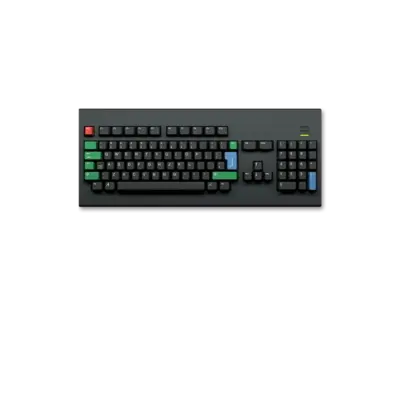
The Amstrad Colour Personal Computer (CPC) line was Amstrad’s mid-1980s home computer platform. Starting with the CPC 464 in 1984, the family later expanded to the CPC 664, CPC 6128 and the “plus” series, and even inspired the GX4000 console. Unlike many contemporaries, Amstrad shipped the CPC as an integrated package (keyboard, storage, monitor) to appeal to users who didn’t want to clutter their living room with a separate TV. The platform built a vibrant software/demoscene community in Europe and Australia, and Amstrad relaxed ROM licensing after production ended, making emulator-friendly distributions easier.
REG-Linux treats these machines as the amstradcpc system group so themes can show the dedicated artwork set for CPC titles.
Technical specifications
- CPU: Zilog Z80A at 4 MHz (464/664) or 3.5 MHz (6128)
- Memory: 64 KB RAM on the 464, 128 KB on the 6128; expansion ports allow additional ROM/RAM
- Display: Three palette modes (Mode 0/1/2) with a 27-colour palette and dual-resolution graphics
- Sound: AY-3-8912 PSG with three square-wave channels plus noise
Supported ROM extensions
dsk, sna, tap, cdt, voc, m3u, zip, 7z
Quick reference
- Emulators: RetroArch (libretro: cap32), CLK
- ROM folder:
/userdata/roms/amstradcpc - Accepted formats:
.dsk,.sna,.tap,.cdt,.voc,.m3u,.zip,.7z - System group:
amstradcpc - Required BIOS (CLK only):
bios/AmstradCPC/amsdos.rom,bios/AmstradCPC/basic6128.rom,bios/AmstradCPC/os6128.rom
BIOS
The libretro cap32 core does not need extra BIOS files, but the CLK emulator requires authentic CPC ROM sets. Place the files below in the bios/AmstradCPC directory with the exact filenames and checksums, otherwise CLK may not boot or may behave unpredictably.
| MD5 checksum | Share file path | Description |
|---|---|---|
25629dfe870d097469c217b95fdc1c95 |
bios/AmstradCPC/amsdos.rom |
Amstrad Disk Operating System |
2cc1ba759f835c98a480a152d786b877 |
bios/AmstradCPC/basic6128.rom |
Locomotive BASIC CPC6128 |
9ba1b052c77713024bf2eb224cad2062 |
bios/AmstradCPC/os6128.rom |
CPC6128 OS ROM |
ROMs
Store CPC software in /userdata/roms/amstradcpc. REG-Linux accepts disk/tape snapshots plus archives and playlists as listed above, automatically launching the proper emulator once the format is recognized.
Emulators
RetroArch
RetroArch uses the libretro cap32 core for CPC titles, bringing cross-platform features such as shaders, rewinds and overlays. Open the Quick Menu ([HOTKEY] + south button) to adjust retroarch-wide or per-core options and to remap inputs.
Standardized REG-Linux features exposed for CPC cores include amstradcpc.videomode, amstradcpc.ratio, amstradcpc.smooth, amstradcpc.shaders, amstradcpc.pixel_perfect, amstradcpc.decoration and amstradcpc.game_translation.
libretro: cap32
| ES setting name REG-Linux.conf_key | Description => ES option key_value |
|---|---|
| Settings that apply to all systems this core supports | |
GRAPHICS API amstradcpc.gfxbackend |
Choose the renderer: OpenGL for compatibility, Vulkan for accelerated builds. => OpenGL opengl, Vulkan vulkan. |
AUDIO LATENCY amstradcpc.audio_latency |
Adjust audio buffer in milliseconds to fix glitches. => 256 256, 192 192, 128 128, 64 64, 32 32, 16 16, 8 8. |
THREADED VIDEO amstradcpc.video_threaded |
Offload video to another thread; improves throughput on slow CPUs at the cost of latency. => On true, Off false. |
cap32-specific options
| ES setting name REG-Linux.conf_key | Description => ES option key_value |
|---|---|
CPC MODEL global.cap32_model |
Emulate a specific CPC model, affecting memory/ROM expectations. => 464 464, 6128 6128, 6128+ 6128+. |
RAM SIZE global.cap32_ram |
Choose how much RAM the emulated CPC exposes; keep this in line with the software’s requirements. => 64 64, 128 128, 192+ 192, 512 512, 576+ 576. |
CLK
CLK (Clock Signal) is a cycle-accurate emulator that focuses on timing and responsiveness rather than frontend polish. It requires the CPC BIOS files listed above and is useful if you want near-the-metal compatibility.
Controls
RetroArch may default to a keyboard-like layout; to enable joystick emulation:
- Launch a CPC title using
libretro: cap32. - Open the Quick Menu (
[HOTKEY]+ south button). - Go to Input and set User 1 Device Type: Retropad to “Amstrad Joystick”.
This trick makes REG-Linux controllers behave like a real CPC joystick. The default mapping is also documented on the controller configuration page.
Troubleshooting
- Confirm ROMs live under
/userdata/roms/amstradcpcand use one of the accepted extensions. - For CLK, ensure all BIOS files exist in
bios/AmstradCPCwith the checksums listed above. - If input feels wrong, double-check the Retropad device type and remap buttons via RetroArch’s Quick Menu.