Apple II

Overview
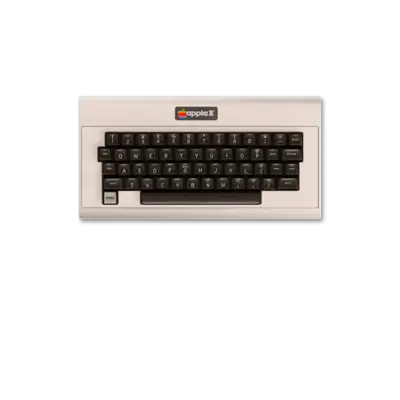
The Apple ][ family is Apple’s flagship 8-bit computer line, launched in 1977 by Steve Wozniak and expanded through the 1990s. From the original Apple ][ to the Apple ][+, ][e, IIc, and the enhanced IIe/IIe Platinum builds, the lineup popularized personal computing, software, games and productivity across multiple continents. The Apple IIGS (which has its own page) supplied a 16-bit follow-up, but the classic 8-bit models remain widely emulated today.
In REG-Linux the 8-bit Apple systems are grouped under apple2, which lets compatible themes load the apple2 artwork set when available.
Technical specifications (classic Apple II)
- CPU: MOS Technology 6502 at ≈1.0 MHz (later 65C02 variants in the IIc/IIe)
- Memory: 4 KB on the original board, expandable to 48–64 KB and beyond via expansion cards
- Display: NTSC/PAL composite output with hi-res 280×192/6-color and 80-column text modes
- Sound: Single-bit speaker tied to a GPIO pin; expansion cards add richer audio
Supported ROM extensions
nib, do, po, dsk, mfi, dfi, rti, edd, woz, wav, zip, 7z, chd, hdv, 2mg
Quick reference
- ROM folder:
/userdata/roms/apple2 - Accepted formats:
.nib,.do,.po,.dsk,.mfi,.dfi,.rti,.edd,.woz,.wav,.zip,.7z - Emulators: RetroArch (
libretro: mame), standalone MAME, GSplus (plus applewin/izapple2 if you prefer dedicated builds) - System group:
apple2
BIOS
Store the following archives in the bios folder exactly as named. REG-Linux uses their MD5 checksums to validate the files, so do not rename or modify them.
| MD5 checksum | Share file path | Description |
|---|---|---|
4431aea380185e3f509285540d7cb418 |
bios/apple2e.zip |
Apple IIe ROM bundle (multiple components) |
e6d453d8738e6df4f73df8c8051df3e8 |
bios/apple2e.zip |
Additional Apple IIe component |
72924019cf1719765e4fde35e59c1c7d |
bios/apple2e.zip |
Additional Apple IIe component |
0b150f4bfa090770a866cc5d214703f4 |
bios/apple2e.zip |
Additional Apple IIe component |
2020aa1413ff77fe29353f3ee72dc295 |
bios/a2diskiing.zip |
Disk II firmware (5.25" drive) |
95b91e4a2fe7d6f13d353ba1827d37f9 |
bios/votrax.zip |
Optional speech ROM |
5f1be0c1cdff26f5956eef9643911886 |
bios/d2fdc.zip |
Disk II floppy controller ROM |
ROMs
Place Apple II disk/tape images and archives inside /userdata/roms/apple2. REG-Linux supports both raw images and compressed archives (.zip, .7z), but uncompressed files often avoid complications with naming or detection.
Emulators
RetroArch
RetroArch runs the libretro: mame core for Apple II emulation. Use the Quick Menu ([HOTKEY] + south button) to adjust video/back-end settings, overrides or per-game input mappings. Standardized features for this core include apple2.autosave, apple2.netplay and others shared with MAME.
libretro: mame configuration
| ES setting name REG-Linux.conf_key | Description => ES option key_value |
|---|---|
| Settings that apply to all systems this core supports | |
OVERCLOCK (UNSTABLE) global.mame_cpu_overclock |
Push the emulated CPU speed above 100% (use carefully). => default default, 30 30, 35 35, …, 150 150. |
RENDERING RESOLUTION global.mame_altres |
Increase the rendering resolution for crisper graphics. => 640x480 640x480, 800x600 800x600, 960x720 960x720, 1024x768 1024x768, 1280x720 1280x720, 1600x800 1600x800, 1920x1080 1920x1080, 2560x1440 2560x1440, 3840x2160 3840x2160. |
SPECIAL CONTROL LAYOUTS global.altlayout |
Alternate control layouts for fighters or retro pads. => Default Only default, SNES Style snes, Genesis Style megadrive, Fightstick fightstick, Neo Geo Pad neomini, etc. |
HIGH SCORE PLUGIN global.hiscoreplugin |
Save or ignore highscores. => Enabled 1, Disabled 0. |
COIN SOUND PLUGIN global.coindropplugin |
Toggle coin-drop sound effects. => Enabled 1, Disabled 0. |
CROP ARTWORK global.artworkcrop |
Crop decorations to focus on the game screen. => On 1, Off 0. |
CUSTOM MAME CONFIG global.customcfg |
Activate a centralized mame.ini config. => On 1, Off 0. |
| Settings specific to Apple II | |
SOFTWARE LIST apple2.softList |
Use MAME software lists to detect disks. => Don’t Use none, Cleanly cracked disks apple2_flop_clcracked, Misc disks apple2_flop_misc, Original disks apple2_flop_orig. |
CUSTOM GAME CONFIG apple2.pergamecfg |
Enable per-game customizations via MAME. => On 1, Off 0. |
MAME
MAME itself is a supported emulator. Open the in-game menu ([HOTKEY] + south button or [Tab]) to adjust inputs, video, BIOS selection and other options. REG-Linux exposes apple2.videomode, apple2.padtokeyboard, bezel/tattoo options and more for the standalone MAME binaries.
GSplus
GSplus is an open-source Apple ][/IIGS emulator derived from KEGS/GSPort. It exposes features such as apple2.videomode, apple2.padtokeyboard and apple2.decoration for consistent REG-Linux configuration.
Other emulators
Dedicated Apple II emulators like AppleWin, GSplus (standalone) or iZaApple2 can also be used through REG-Linux as long as they reference the apple2 system; however, RetroArch and MAME remain the most fully integrated options.
Controls
Default Apple II mappings appear on the REG-Linux RetroPad. Use the emulator Quick Menu or the mame.ini/RetroArch overrides to remap keys and buttons when needed.
Troubleshooting
- Make sure disk images appear in
/userdata/roms/apple2and match one of the supported extensions above. - Confirm the BIOS archives in
bios/match the MD5 checksums listed under the BIOS section, especially when loading standalone MAME or RetroArch: MAME titles. - Try alternative emulators (RetroArch, MAME, GSplus) if a title misbehaves.