Apple IIGS
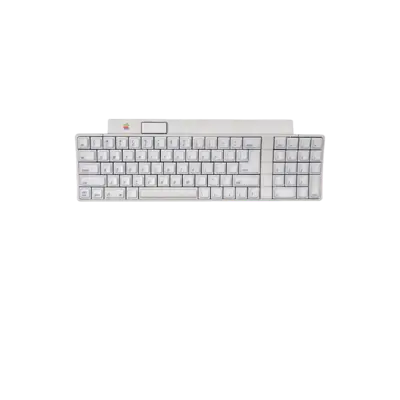

Overview
The Apple IIGS is the most advanced member of the Apple ][ family. It introduced a 16-bit 65C816 processor, modernized graphics modes (up to 640×200 with 256 colours) and an Ensoniq ES5503 DOC wavetable sound chip while remaining strongly compatible with earlier Apple ][ software. This combination made the IIGS a popular emulator target and positioned it as a bridge between classic Apple ][ machines and the Macintosh era.
REG-Linux scrapes the apple2gs system group and, when your theme supports it, displays the dedicated artwork set for the platform.
Technical specifications
- CPU: Western Design Center 65C816 processor at 2.8 MHz
- Memory: 256 KB onboard, expandable to 1 MB and beyond with third-party cards
- Display: Super High-Res mode (320×200) with up to 256 colours from a 4,096-colour palette
- Sound: Ensoniq 5503 DOC with 32-channel wavetable synthesis and stereo outputs
Supported ROM extensions
nib, do, po, dsk, mfi, dfi, rti, edd, woz, wav, zip, 7z, plus chd, hdv, 2mg for disk dumps
Quick reference
- ROM folder:
/userdata/roms/apple2gs - Accepted formats:
.nib,.do,.po,.dsk,.mfi,.dfi,.rti,.edd,.woz,.wav,.zip,.7z - Emulators: RetroArch (
libretro: mame), standalone MAME, GSplus - System group:
apple2gs
BIOS
Place the following archives into the bios folder with the exact filenames and MD5 checksums shown below. REG-Linux relies on these checksums, so do not rename or modify the files.
| MD5 checksum | Share file path | Description |
|---|---|---|
4431aea380185e3f509285540d7cb418 |
bios/apple2e.zip |
Apple IIe ROM set (multiple files inside) |
e6d453d8738e6df4f73df8c8051df3e8 |
bios/apple2e.zip |
Additional Apple IIe ROM components |
72924019cf1719765e4fde35e59c1c7d |
bios/apple2e.zip |
Additional Apple IIe ROM components |
0b150f4bfa090770a866cc5d214703f4 |
bios/apple2e.zip |
Additional Apple IIe ROM components |
2020aa1413ff77fe29353f3ee72dc295 |
bios/a2diskiing.zip |
Disk II king firmware for 5.25" drives |
95b91e4a2fe7d6f13d353ba1827d37f9 |
bios/votrax.zip |
Votrax speech ROM |
5f1be0c1cdff26f5956eef9643911886 |
bios/d2fdc.zip |
Disk II floppy disk controller ROM |
ROMs
Store your disk images and other Apple IIGS media in /userdata/roms/apple2gs. Compressed archives (.zip, .7z) are supported, but bare images give the most predictable results.
Emulators
RetroArch
RetroArch uses the libretro: mame core for Apple IIGS emulation, providing the shared RetroArch interface (shaders, overlays, rewind, etc.). Open the Quick Menu ([HOTKEY] + south button) to tweak core options or remap inputs.
Standardized features available for all Apple IIGS libretro cores include apple2.autosave and apple2.netplay.
libretro: mame
| ES setting name REG-Linux.conf_key | Description => ES option key_value |
|---|---|
| Settings that apply to all systems this core supports | |
OVERCLOCK (UNSTABLE) global.mame_cpu_overclock |
Gentle overclocking can reduce slowdown but may destabilize certain titles. => default default, 30 30, 35 35, 40 40, 45 45, 50 50, 55 55, 60 60, 65 65, 70 70, 75 75, 80 80, 85 85, 90 90, 95 95, 100 100, 105 105, 110 110, 115 115, 120 120, 125 125, 130 130, 135 135, 140 140, 145 145, 150 150. |
RENDERING RESOLUTION global.mame_altres |
Sets the rendering resolution for clearer 3D objects. => 640x480 640x480, 800x600 800x600, 960x720 960x720, 1024x768 1024x768, 1280x720 1280x720, 1600x800 1600x800, 1920x1080 1920x1080, 2560x1440 2560x1440, 3840x2160 3840x2160. |
SPECIAL CONTROL LAYOUTS global.altlayout |
Alternate control layouts for fighters and other unique pad styles. => Default Only default, SNES Style snes, Genesis/Mega Drive Style megadrive, Modern Fightstick Style fightstick, Neo Geo Mini Pad neomini, Neo Geo CD Pad neocd, Twin Stick with Triggers twinstick, Rotated 4-Way Stick (Q*Bert) qbert. |
HIGH SCORE PLUGIN global.hiscoreplugin |
Toggle high-score saving. => Enabled (Default) 1, Disabled 0. |
COIN SOUND PLUGIN global.coindropplugin |
Play coin-drop sounds on virtual coin insertion. => Enabled 1, Disabled (Default) 0. |
CROP ARTWORK global.artworkcrop |
Crop artwork to maximize game screen real estate. => On (Default) 1, Off 0. |
CUSTOM MAME CONFIG global.customcfg |
Use a system-wide MAME config via mame.ini. => On 1, Off 0. |
| Settings specific to apple2 | |
SOFTWARE LIST apple2.softList |
Use MAME software lists to identify ROMs. => Don’t Use (Default) none, Apple II cleanly cracked disks apple2_flop_clcracked, Apple II miscellaneous disks apple2_flop_misc, Apple II original disks apple2_flop_orig. |
CUSTOM GAME CONFIG apple2.pergamecfg |
Enable per-game configuration via the MAME menu. => On 1, Off 0. |
MAME
Standalone MAME is also supported. Use the in-game menu ([HOTKEY] + south button or [Tab]) to remap inputs, tweak video options and edit per-game settings. Standardized features include apple2.videomode, apple2.padtokeyboard, apple2.bezel, apple2.hud, and their related bezel/tattoo settings.
The MAME configuration table mirrors the libretro options above plus controls for video mode, BGFX API, artwork cropping and more.
GSplus
GSplus is an open-source emulator targeting Apple ][ and IIGS systems. REG-Linux exposes keys like apple2.videomode, apple2.padtokeyboard and apple2.decoration for GSplus.
Controls
Here are the default Apple IIGS controls displayed on a REG-Linux RetroPad. Use RetroArch’s Quick Menu or the emulator’s native input settings to remap buttons when needed.
Troubleshooting
- Check that the BIOS archives in
bios/match the MD5 checksums listed above. - Confirm ROMs live under
/userdata/roms/apple2gsand use one of the supported extensions. - If a title still misbehaves, try another emulator (RetroArch, MAME, GSplus) or adjust the
libretro: mameconfiguration options.