Arcadia 2001
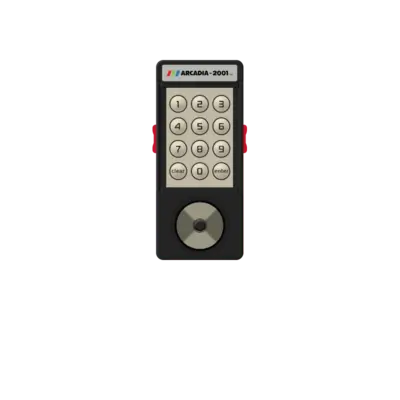

Overview
The Arcadia 2001 is a compact second-generation console released by Emerson in 1982. The base unit uses a 1.2 MHz Signetics 2650 CPU and a 3.58 MHz (NTSC) / 3.55 MHz (PAL) Signetics 2637 video chip, with sound generated by a simple onboard beeper. Only about 35 official games were released during its 18-month lifespan, although more than 30 clone variants such as the Leisure Vision, Intervision 2001 and Tele-Fever arose in different regions, sometimes with their own exclusives.
REG-Linux groups the platform under arcadia so themes can show the dedicated visual set when available.
Technical specifications
- Manufacturer: Emerson
- Release year: 1982
- Hardware type: console
- CPU: Signetics 2650 at 1.2 MHz
- Video: Signetics 2637 UVI at 3.58 MHz (NTSC) or 3.55 MHz (PAL)
- Sound: Basic beeper circuit
Supported ROM extensions
bin, zip, 7z
Quick reference
- Emulator: MAME
- ROM folder:
/userdata/roms/arcadia - Accepted formats:
.bin,.zip,.7z - System group:
arcadia
BIOS
No BIOS files are required for Arcadia 2001 emulation in REG-Linux.
ROMs
Place every Arcadia 2001 image into /userdata/roms/arcadia. MAME will auto-detect supported archives and load the appropriate driver.
Emulators
MAME
MAME (which absorbed the former MESS project) includes the Arcadia 2001 driver. Each ROM carries the metadata needed to select the correct emulator branch, so keep ROM sets matched to your MAME build if you encounter problems. For general guidance on using MAME within REG-Linux, see the arcade guide.
MAME configuration
Open the MAME in-game menu with [HOTKEY] + south button or [Tab] on a keyboard. From there you can remap inputs, tweak video output and adjust per-game tuning. All options can also be edited directly using mame.ini.
Standardized REG-Linux features available for this system are arcadia.videomode, arcadia.decoration and arcadia.padtokeyboard.
| ES setting name REG-Linux.conf_key | Description => ES option key_value |
|---|---|
| Settings that apply to all versions of this emulator | |
GRAPHICS BACKEND arcadia.video |
Choose the renderer. BGFX enables shaders while Accel/OpenGL provide more direct paths. => BGFX bgfx, Accel accel, OpenGL opengl. |
BGFX BACKEND arcadia.bgfxbackend |
Used when BGFX is enabled; select the graphics API. => MAME Detect automatic, OpenGL opengl, OpenGL ES gles, Vulkan vulkan. |
BGFX VIDEO FILTER arcadia.bgfxshaders |
Apply a post-processing shader. => Off None, Bilinear default, CRT Geom crt-geom, CRT Geom Deluxe crt-geom-deluxe, Super Eagle eagle, HLSL hlsl, HQ2X hq2x, HQ3X hq3x, HQ4X hq4x. |
CRT SWITCHRES arcadia.switchres |
Enable SwitchRes profiles for CRT displays. => Off 0, On 1. |
TATE MODE arcadia.rotation |
Rotate the output 90°/270° for vertical displays. => Off None, Rotate 90 autoror, Rotate 270 autorol. |
ALT DPAD MODE arcadia.altdpad |
Adjust D-pad orientation for different controllers. => Off (Default) 0, DS3 Orientation 1, X360 Orientation 2. |
| Settings specific to Arcadia | |
CUSTOM CONFIG arcadia.pergamecfg |
Allow per-game custom configuration via the MAME menu. => On 1, Off 0. |
Controls
The default Arcadia 2001 controls map to a REG-Linux Retropad:

Use MAME’s in-game menu if you need to tweak controller mappings beyond the default.
Troubleshooting
- Check the MAME troubleshooting section for driver-specific tips if a ROM refuses to boot.
- Confirm the files live under
/userdata/roms/arcadiaand use one of the supported extensions.