Atari 5200

Overview
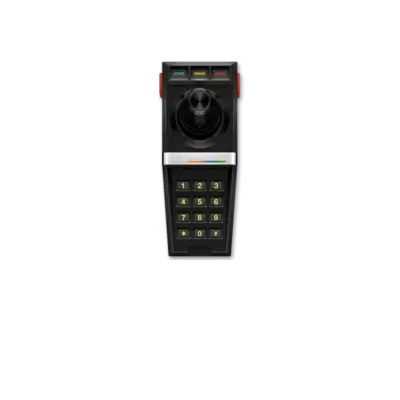
The Atari 5200, released in 1982, is the console counterpart to the Atari 400/800 computer line and was designed to compete with the Intellivision and ColecoVision. It features an analogue joystick with a keypad, a POKEY sound chip and a custom ANTIC/TIA-like graphics pipeline. While the hardware shares many similarities with the Atari 8-bit computers, software is not directly compatible, though the emulators used in REG-Linux can handle both families using the same cores.
REG-Linux scrapes this platform under the atari5200 system group so themes can display the relevant artwork set.
Technical specifications
- CPU: MOS Technology 6502C at 1.79 MHz with custom POKEY-based I/O
- Memory: 16 KB RAM plus 4 KB ROM (BIOS/OS); cartridges may add extra RAM
- Video: ANTIC/TIA inspired chipset with 320×192 pixels, palette control and multiple sprites per scanline
- Sound: Atari POKEY chip (four square-wave channels plus noise)
Supported ROM extensions
rom, xfd, atr, atx, cdm, cas, car, bin, a52, xex, zip, 7z
Quick reference
- Emulator/frontend: RetroArch
- Core: libretro: atari800
- ROM folder:
/userdata/roms/atari5200 - System group:
atari5200
BIOS
| MD5 checksum | Share file path | Description |
|---|---|---|
281f20ea4320404ec820fb7ec0693b38 |
bios/5200.rom |
Atari 5200 BIOS |
Place the BIOS in your bios/ folder so the core can detect it. Without it, the Atari 5200 mode will fail to boot.
ROMs
Store Atari 5200 ROMs in /userdata/roms/atari5200. The .a52 format prompts you to choose a cartridge type at boot; convert them to .car if you prefer to embed the type and skip the dialog. See the Cartridge Type Code List for the codes.
Emulators
RetroArch
RetroArch runs the libretro: atari800 core for Atari 5200 content, sharing consistent hotkeys, shaders and overlay options. Press [HOTKEY] + south button to open the Quick Menu and adjust settings or remap inputs.
libretro: atari800 configuration
| ES setting name REG-Linux.conf_key | Description => ES option key_value |
|---|---|
| Settings specific to atari800 | |
ATARI SYSTEM atari800.atari800_system |
Pick the Atari model/emulation mode, affecting RAM/ROM expectations. => 400/800 (OS B) 400/800, 800XL 800XL, 130XE 130XE, Modern XL/XE Modern, etc. |
VIDEO STANDARD atari800.atari800_ntscpal |
Switch between NTSC and PAL timing. => NTSC NTSC, PAL PAL. |
SIO ACCELERATION atari800.atari800_sioaccel |
Speed up disk/tape loading (may break some games). => Off disabled, On enabled. |
HI-RES ARTIFACTING atari800.atari800_artifacting |
Simulate color artifacting in high-resolution modes. => Off disabled, On enabled. |
INTERNAL RESOLUTION atari800.atari800_resolution |
Choose among supported rendering resolutions. => 336x240 336x240, 320x240 320x240, 384x240 384x240, 384x272 384x272, 384x288 384x288, 400x300 400x300. |
| Settings specific to Atari 5200 | |
JOYSTICK HACK (FOR ROBOTRON) atari5200.atari800_opt2 |
Treat the second analog stick as joystick 2 for Robotron-style layouts. => Off disabled, On enabled. |
Many emulator parameters (cartridge type selection, advanced input mapping, video filters) live inside the atari800 menu; press [L3] or [F1] once the core loads to open it.
Controls
Here are the default Atari 5200 controls mapped to a REG-Linux Retropad:

Use the Quick Menu to tweak mappings if you need to adjust keypad buttons or analog input handling.
Troubleshooting
- Ensure
/userdata/roms/atari5200holds your games and that the BIOS (bios/5200.rom) exists with the correct checksum. - Convert
.a52files to.carif the core cannot prompt you to select a cartridge type, or respond to the prompt “blindly.” - Consult the RetroArch documentation for core-specific debugging.