Atari 800

Overview
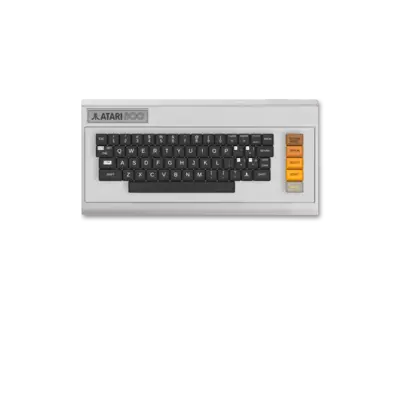
The Atari 8-bit family (400, 800, XL, XE) debuted in 1979 with the Atari 800 as its flagship model. These machines were built around custom ANTIC/GTIA chips, a powerful ANTIC video processor and the MOS 6502 CPU, delivering advanced graphics and sound capabilities for their era. REG-Linux groups the line under atari800 so compatible themes can show the dedicated artwork set.
Technical specifications
- Manufacturer: Atari
- Release year: 1979
- Hardware type: computer
- EmulationStation group:
atari8bit
Supported ROM extensions
rom, xfd, atr, atx, cdm, cas, car, bin, a52, xex, zip, 7z, m3u
Quick reference
- Emulator/frontend: RetroArch
- Core: libretro: atari800
- ROM folder:
/userdata/roms/atari800 - System group:
atari800
BIOS
Atari 8-bit emulation in REG-Linux relies on a handful of OS ROMs:
| MD5 checksum | Share file path | Description |
|---|---|---|
eb1f32f5d9f382db1bbfb8d7f9cb343a |
bios/ATARIOSA.ROM |
PAL OS A (1.0) |
a3e8d617c95d08031fe1b20d541434b2 |
bios/ATARIOSB.ROM |
NTSC OS B (early) |
4177f386a3bac989a981d3fe3388cb6c |
bios/ATARIOSB.ROM |
NTSC OS B (later) |
06daac977823773a3eea3422fd26a703 |
bios/ATARIXL.ROM |
XL/XE extended ROM |
0bac0c6a50104045d902df4503a4c30b |
bios/ATARIBAS.ROM |
Atari BASIC interpreter (optional but useful) |
Different games may rely on a specific OS, so experiment with PAL/NTSC variants or the XL/XE ROM when compatibility issues arise.
ROMs
Place Atari 8-bit titles in /userdata/roms/atari800. The emulator supports raw disk dumps (.atr, .xfd), cartridge images, and archives/playlist formats. Multi-disk releases must be managed via the atari800 core’s UI rather than playlists; press [L3] or [F1] to access the internal menu if needed.
Emulators
RetroArch
RetroArch runs the libretro atari800 core, giving you unified hotkeys, shaders, decorations, and netplay features. Open the Quick Menu ([HOTKEY] + south button) to adjust settings or remap inputs. REG-Linux exposes system-wide hooks such as atari800.videomode, atari800.ratio, atari800.shaders, atari800.smooth, atari800.pixel_perfect, atari800.decoration, atari800.game_translation.
libretro: atari800 configuration
| ES setting name REG-Linux.conf_key | Description => ES option key_value |
|---|---|
ATARI SYSTEM atari800.atari800_system |
Choose the machine mode (400/800, 800XL, 130XE, Modern XL/XE variations). |
VIDEO STANDARD atari800.atari800_ntscpal |
Switch between NTSC and PAL timing and resolutions. |
SIO ACCELERATION atari800.atari800_sioaccel |
Speed up disk/tape loading (may break some titles). |
HI-RES ARTIFACTING atari800.atari800_artifacting |
Emulate NTSC artifact colors for hi-res graphics. |
INTERNAL RESOLUTION atari800.atari800_resolution |
Select an alternate rendering resolution. |
JOYSTICK HACK atari5200.atari800_opt2 |
Treat the second analog stick as joystick 2 (useful for Robotron style titles). |
Many settings (cartridge type, keyboard layouts, disk selection) can be edited inside the atari800 core UI when a game is running.
Controls
The default Atari 8-bit pad mapping appears on a REG-Linux Retropad:

Use RetroArch’s Quick Menu or the atari800 menu to remap buttons or tweak analog controls.
Troubleshooting
My game looks wrong or boots in black & white
Enable NTSC timing and HI-RES ARTIFACTING in the core options. Some titles rely on NTSC artifact colors to show more than two colors on screen.
Game refuses to load; there is no prompt
Open the atari800 internal menu ([L3] or [F1]) and choose the correct format (disk, cartridge, tape). Check the core’s documentation for the expected keypresses for .atr, .xfd and .car files.
Further troubleshooting
- Ensure BIOS files match the MD5 hashes listed above.
- Confirm ROMs are stored under
/userdata/roms/atari800and the loader is pointed at the right file.