Atari ST

Overview
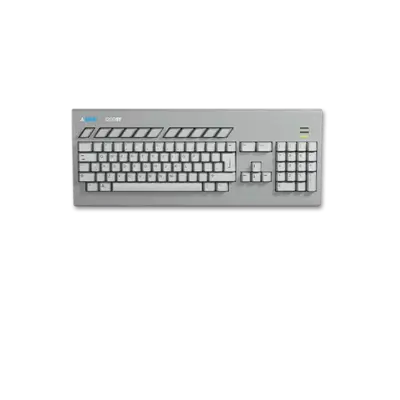
The Atari ST family (520ST, 1040ST, STE, Mega ST, TT030, Falcon) spans Atari’s 16/32-bit home computers from 1985 into the early 1990s. Known for their MIDI-friendly architecture, fast GEM desktop and strong library of games like Dungeon Master, Oids, and MIDI Maze, ST systems remain popular among enthusiasts.
REG-Linux identifies the platform via the atarist system group so compatible themes can use the dedicated artwork set.
Supported ROM extensions
st, msa, stx, dim, ipf, m3u, zip, 7z, hd, gemdos, vhd, gem, ide
Quick reference
- ROM folder:
/userdata/roms/atarist - Accepted formats:
.st,.msa,.stx,.dim,.ipf,.m3u,.zip,.7z - Emulators: libretro: Hatari, Hatari, CLK
- System group:
atarist
BIOS
Atari ST emulation depends on the TOS ROM images below. Keep filenames and MD5 hashes exact; REG-Linux uses the checksum to detect each image. Experiment with different regions/versions when a title is fussy.
| MD5 checksum | Share file path | Description |
|---|---|---|
c1c57ce48e8ee4135885cee9e63a68a2 |
bios/tos.img |
Generic fallback TOS |
25789a649faff0a1176dc7d9b98105c0 |
bios/tos100fr.img |
French TOS 1.00 |
c87a52c277f7952b41c639fc7bf0a43b |
bios/tos100uk.img |
UK TOS 1.00 |
d0f682ee6237497004339fb02172638b |
bios/tos100us.img |
US TOS 1.00 |
a622cc35d8d78703905592dfaa4d2ccb |
bios/tos102de.img |
German TOS 1.02 |
d6521785627d20c51edc566808a6bf28 |
bios/tos102fr.img |
French TOS 1.02 |
b2a8570de2e850c5acf81cb80512d9f6 |
bios/tos102uk.img |
UK TOS 1.02 |
41b7dae4e24735f330b63ad923a0bfbc |
bios/tos104de.img |
German TOS 1.04 |
143343f7b8e0b1162af206fe8f46b002 |
bios/tos104es.img |
Spanish TOS 1.04 |
0087e2707c57efa2106a0aa7576655c0 |
bios/tos104fr.img |
French TOS 1.04 |
036c5ae4f885cbf62c9bed651c6c58a8 |
bios/tos104uk.img |
UK TOS 1.04 |
736adb2dc835df4d323191fdc8926cc9 |
bios/tos104us.img |
US TOS 1.04 |
992bac38e01633a529121a2a65f0779e |
bios/tos106de.img |
German TOS 1.06 |
30f69d70fe7c210300ed83f991b12de9 |
bios/tos106es.img |
Spanish TOS 1.06 |
bc7b224d0dc3f0cc14c8897db89c5787 |
bios/tos106fr.img |
French TOS 1.06 |
6033f2b9364edfed321c6931a8181fd2 |
bios/tos106uk.img |
UK TOS 1.06 |
a0982e760f9807d82667ff5a69e78f6b |
bios/tos106us.img |
US TOS 1.06 |
94a75c1c65408d9f974b0463e15a3b11 |
bios/tos162de.img |
German TOS 1.62 |
ed5fbaabe0219092df74c6c14cea3f8e |
bios/tos162fr.img |
French TOS 1.62 |
1cbc4f55295e469fc8cd72b7efdea1da |
bios/tos162uk.img |
UK TOS 1.62 |
febb00ba8784798293a7ae709a1dafcb |
bios/tos162us.img |
US TOS 1.62 |
7aeabdc25f8134590e25643a405210ca |
bios/tos205de.img |
German TOS 2.05 |
7449b131681f1dfe62ebed1392847057 |
bios/tos205es.img |
Spanish TOS 2.05 |
61b620ad951815a25cb37895c81a947c |
bios/tos205fr.img |
French TOS 2.05 |
7e87d8fe7e24e0b4c55ad1b7955beae3 |
bios/tos205it.img |
Italian TOS 2.05 |
7cdd45b6aac66a21bfb357d9334e46db |
bios/tos205us.img |
US TOS 2.05 |
0604dbb85928f0598d04144a8b554bbe |
bios/tos206de.img |
German TOS 2.06 |
b2873004a408b8db36321f98daafa251 |
bios/tos206fr.img |
French TOS 2.06 |
4a0d4f282c3f2a0196681adf88862dd4 |
bios/tos206.img |
Unspecified 2.06 ROM |
e690bec90d902024beed549d22150755 |
bios/tos206uk.img |
UK TOS 2.06 |
c9093f27159e7d13ac0d1501a95e53d4 |
bios/tos206us.img |
US TOS 2.06 |
066f39a7ea5789d5afd59dd7b3104fa6 |
bios/tos306de.img |
German TOS 3.06 |
dd1010ec566efbd71047d6c4919feba5 |
bios/tos306uk.img |
UK TOS 3.06 |
ed2647936ce4bd283c4d7dfd7ae09d1c |
bios/tos400.img |
Falcon TOS 4.00 |
9e880168d0a004f7f5e852be758f39e4 |
bios/tos404.img |
Falcon TOS 4.04 |
ROMs
Copy Atari ST disk images, hard disk archives or .ipf files into /userdata/roms/atarist. If a title fails to start, try a different TOS (region/revision) and ensure you select the correct drive type from the emulator menu.
Emulators
RetroArch
RetroArch runs the libretro: Hatari core, giving you shaders, overlays, rewind and standardized hotkeys. Open the Quick Menu ([HOTKEY] + south button) to adjust general RetroArch settings and per-core options.
Standardized features for this system include atarist.videomode, atarist.ratio, atarist.smooth, atarist.shaders, atarist.decoration and atarist.game_translation.
| ES setting name REG-Linux.conf_key | Description => ES option key_value |
|---|---|
GRAPHICS API atarist.gfxbackend |
Choose the backend (OpenGL or Vulkan). |
AUDIO LATENCY atarist.audio_latency |
Set buffer size in milliseconds to eliminate crackle. |
THREADED VIDEO atarist.video_threaded |
Offload video rendering for better performance. |
libretro: Hatari
Launch the Hatari GUI (press the west icon or [L3]) to tweak system options per game. Many titles need per-title configuration—use that menu to change the machine model, RAM, TOS version or floppy settings.
Hatari
Hatari is the dedicated Atari ST/STE/TT/Falcon emulator bundled with REG-Linux. It exposes keys like atarist.videomode, atarist.padtokeyboard and atarist.decoration through the frontend.
| ES setting name REG-Linux.conf_key | Description => ES option key_value |
|---|---|
MODEL atarist.model |
Choose an ST/STE/MEGA/TT/Falcon target (e.g., 520ST, 1040STE, Mega STE, Falcon). |
LANGUAGE atarist.language |
Pick the TOS language (DE, ES, FR, IT, NL, RU, SE, UK, US). |
EMULATED RAM SIZE atarist.ram |
Set how much RAM the emulator exposes (520K, 1M, 2M, 4M). |
CLK
CLK provides low-latency, cycle-accurate Atari ST emulation in REG-Linux 42+ and can be used alongside the other options if you prefer a modern, responsive experience.
Controls
The default Atari ST layout is shown on a REG-Linux Retropad:

Use RetroArch’s Quick Menu or Hatari’s built-in configuration screens to remap or assign mouse/keyboard inputs when needed. The Hatari overlay also documents which RetroPad button corresponds to actions like opening the GUI or toggling mouse mode.
Troubleshooting
- Try different TOS versions (listed above) if a game refuses to boot or behaves erratically. European titles often need PAL/European ROMs while US titles prefer NTSC variants.
- If a title requires specific hardware features (STE memory, Falcon DSP), select the appropriate
atarist.modelor configure the emulator menu accordingly. - Consult the Hatari quick guide and the full Hatari manual for advanced tips.