Commodore VIC-20
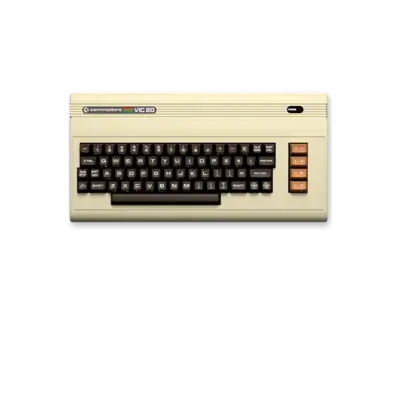

Overview
The Commodore VIC-20, launched in 1980, was Commodore’s first million-selling home computer. It delivered a friendly BASIC environment with built-in sound and video while remaining highly expandable through cartridges and memory packs. The machine is recognized in REG-Linux under the broader c64 group but draws from the c20 artwork set when available.
Technical specifications
- Manufacturer: Commodore
- Release year: 1980
- Hardware type: computer
- CPU: MOS Technology 6502 (6510 derivative) at ~1 MHz
- Memory: 5 KB RAM (3.5 KB user-available) plus 16 KB ROM
- Graphics: VIC chip with 176×184 resolution and 16 colors
- Sound: 2-channel square wave generator
Supported ROM extensions
20, 40, 60, rom, a0, b0, crt, d64, d81, prg, tap, t64, m3u, zip, 7z
Quick reference
- Emulator: VICE
- Core: VICE: xvic
- ROM folder:
/userdata/roms/c20 - Accepted formats:
.a0,.b0,.crt,.d64,.d81,.prg,.tap,.t64,.m3u,.zip,.7z - System group:
c64
BIOS
VICE ships with the necessary ROMs—no additional BIOS files are required.
ROMs
Place VIC-20 ROMs under /userdata/roms/c20. Due to the VIC-20’s cartridge/etc. system, some ROMs must be attached via VICE’s menu:
- Launch the game; you will arrive at a basic prompt.
- Open VICE’s menu (
[START]). - Navigate to Cartridge → Add to generic cartridge.
- Choose a cartridge type (4/8 KB works for most).
- Select the ROM and exit the menu.
This workflow mimics swapping cartridges on the original hardware.
Emulators
VICE
VICE handles the VIC-20 through the xvic core or standalone app. REG-Linux provides the same standardized hooks as other VICE systems: c20.videomode, c20.ratio, c20.padtokeyboard, c20.decoration.
| ES setting name REG-Linux.conf_key | Description => ES option key_value |
|---|---|
ZOOM (HIDE BORDERS) c20.noborder |
Remove the overscan border to reveal the full VIC-20 display or keep it for authentic look. => NO (default) 0, YES 1. |
Refer to VICE’s own interface for further options such as joystick mapping, memory expansion selection and tape/disk drives.
Controls
Default VIC-20 controls map to a REG-Linux Retropad. The overlay diagrams how joystick directions, fire buttons and keyboard keys align.

Troubleshooting
- Use the VICE menu if a cartridge does not auto-attach; select Generic Cartridge and pick the right size.
- The virtual keyboard (
[SELECT]) can be used to type BASIC commands when the on-screen emulator lacks a keyboard. - Consult the VICE user manual (https://vice-emu.sourceforge.io/vice_toc.html) if you run into advanced configuration questions.