CD-i
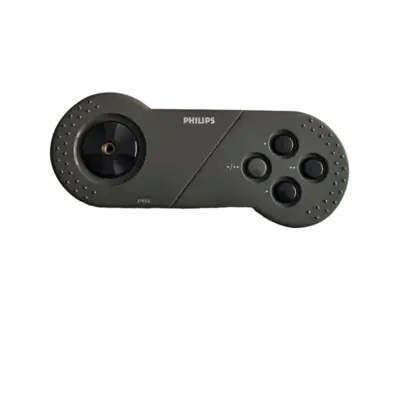

Overview
The Compact Disc Interactive (CD-i) was Philips’ multimedia platform launched in 1990. It combined full-motion video, interactive content and games on dedicated CD-i players, implementable as standalone consoles, televisions or computer add-ons. Internally it runs on a Motorola 68k-based CD-RTOS with dedicated video/sound chips, so REG-Linux emulates the hardware via MAME disk images.
CD-i titles belong to the cdi system group so compatible themes can show the cdi artwork set.
Quick reference
- Emulator: MAME
- ROM folder:
/userdata/roms/cdi - Accepted formats:
.chd,.cue,.toc,.nrg,.gdi,.iso,.cdr
BIOS
Place the CD-i BIOS archive in your ROM or BIOS folder so the MAME driver can start:
| MD5 checksum | Share file path | Description |
|---|---|---|
3d20cf7550f1b723158b42a1fd5bac62 |
bios/cdimono1.zip |
CD-i BIOS archive (or .7z) |
MAME requires this specific filename/checksum pair; mismatches prevent the driver from launching.
ROMs
Copy your CD-i disc images into /userdata/roms/cdi. Use CHD for maximal compatibility, or cue/ISO-style dumps such as .cue, .iso, .toc, .nrg, .gdi, .cdr. MAME will mount the image and start playback.
Emulators
MAME
MAME includes the CD-i driver. Each ROM/CHD carries metadata that selects the proper hardware variant, so keep sets matched to your MAME version.
MAME configuration
Open the MAME in-game menu with [HOTKEY] + south button or Tab to remap inputs, adjust video options, or configure audio. Standardized REG-Linux features for CD-i include cdi.videomode, cdi.decoration and cdi.padtokeyboard.
| ES setting name REG-Linux.conf_key | Description => ES option key_value |
|---|---|
| Settings that apply to all versions of this emulator | |
VIDEO MODE cdi.video |
Choose BGFX shaders or Accel/OpenGL rendering. => BGFX bgfx, Accel accel, OpenGL opengl. |
BGFX GRAPHICS API cdi.bgfxbackend |
Select the BGFX backend when BGFX is enabled. => MAME Detect automatic, OpenGL opengl, OpenGL ES gles, Vulkan vulkan. |
BGFX VIDEO FILTER cdi.bgfxshaders |
Apply CRT/scaling shaders. => Off None, Bilinear default, CRT Geom crt-geom, CRT Geom Deluxe crt-geom-deluxe, Super Eagle eagle, HLSL hlsl, HQ2X hq2x, HQ3X hq3x, HQ4X hq4x. |
CRT SWITCHRES cdi.switchres |
Enable SwitchRes if you have a CRT. => Off 0, On 1. |
VERTICAL ROTATION cdi.rotation |
Rotate the output for TATE displays. => Off None, Rotate 90 autoror, Rotate 270 autorol. |
ALT DPAD MODE cdi.altdpad |
Adjust D-pad orientation for alternate controllers. => Off (Default) 0, DS3 Orientation 1, X360 Orientation 2. |
Controls
The standard CD-i controller mapping overlays on a REG-Linux Retropad:

MAME’s UI and REG-Linux’s controller settings let you remap individual buttons as needed.
Troubleshooting
- Verify the BIOS filename (
cdimono1.zip) and MD5 checksum; missing or incorrect BIOS files prevent booting. - Ensure your ROMs live in
/userdata/roms/cdiand use one of the supported image formats. - For driver-specific issues, consult the MAME troubleshooting section.