TRS-80 Color Computer

Overview
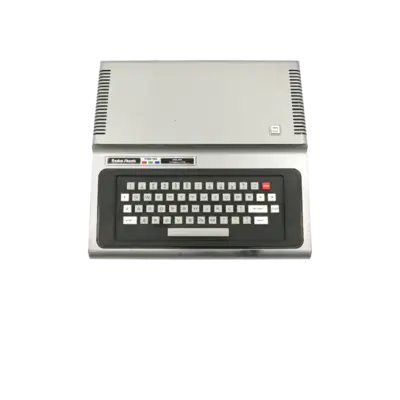
The TRS-80 Color Computer (CoCo) family is an 8-bit home computer line released by Tandy/Radio Shack beginning in 1980. It offers a BASIC-driven environment, a Motorola 6809E CPU and an expanded palette compared to Commodore counterparts. REG-Linux uses the coco system group so metadata and artwork align with the platform.
Technical specifications
- CPU: Motorola 6809E/1 at 0.895–1.79 MHz
- Memory: 4 KB (Model I) up to 64 KB (Model III/4) plus ROM expansions
- Graphics: MC6847 VDG supporting 256×192 with limited colors
- Sound: Simple tone generator via MC6847
Supported ROM extensions
wav, cas, ccc, rom, zip, 7z
Quick reference
- Emulator: MAME
- ROM folder:
/userdata/roms/coco - Accepted formats:
.wav,.cas,.ccc,.rom,.zip,.7z
BIOS
MAME requires the coco.zip (or .7z) archive, which contains the Color Computer ROM images. Place it in /userdata/roms/coco/ or in the global bios/ directory; the filename and checksum must remain unchanged so REG-Linux can detect it.
ROMs
Store cassette, disk and cartridge images under /userdata/roms/coco. MAME’s autoload behavior handles .cas, .dsk, .wav and .rom files automatically, but you can override defaults via system/configs/mame/autoload/coco_{cass,flop}_autoload.csv using the syntax <romBasename>;<autoload command> (the CSV files contain detailed examples).
Emulators
MAME
MAME includes the TRS-80 Color Computer driver. Open the in-game menu ([HOTKEY] + south button or Tab) to remap inputs, attach media or adjust video/audio options. Standardized REG-Linux features for CoCo include coco.videomode, coco.decoration and coco.padtokeyboard.
| ES setting name REG-Linux.conf_key | Description => ES option key_value |
|---|---|
| Settings that apply to all versions of this emulator | |
VIDEO MODE coco.video |
Choose BGFX for shaders or Accel/OpenGL for direct rendering. => BGFX bgfx, Accel accel, OpenGL opengl. |
BGFX GRAPHICS API coco.bgfxbackend |
Specify the backend when BGFX is active. => MAME Detect automatic, OpenGL opengl, OpenGL ES gles, Vulkan vulkan. |
BGFX VIDEO FILTER coco.bgfxshaders |
Apply CRT/smoothing filters. => Off None, Bilinear default, CRT Geom crt-geom, CRT Geom Deluxe crt-geom-deluxe, Super Eagle eagle, HLSL hlsl, HQ2X hq2x, HQ3X hq3x, HQ4X hq4x. |
ALT DPAD MODE coco.altdpad |
Adjust D-pad orientation when controllers behave oddly. => Off 0, DS3 1, X360 2. |
SPECIAL CONTROL LAYOUTS coco.altlayout |
Alternate layouts for modern pads. => Default 0, SNES 1, Genesis 4, etc. |
MEDIA TYPE coco.altromtype |
Specify media (cassette vs cartridge) if MAME misdetects. => Cassette cass, Cartridge cart. |
UI KEYS coco.enableui |
Toggle MAME’s UI key bindings at startup. => Off 0, On 1. |
Controls
The TRS-80 Color Computer has a variety of input methods. The default mapping appears on a REG-Linux Retropad overlay (../images/controller-overlays/coco.png). Use RETROARCH/MAME menus to remap joystick/keyboard combos or supply custom keypad actions.

Troubleshooting
- Confirm the
coco.zipBIOS archive exists in the ROM or BIOS folder and matches the expected checksum. - If a media file misbehaves, specify the correct
coco.altromtype(cassette vs cartridge) or override autoload commands via the CSV files noted above. - Consult the MAME troubleshooting section for system-specific issues.