Commodore Plus/4
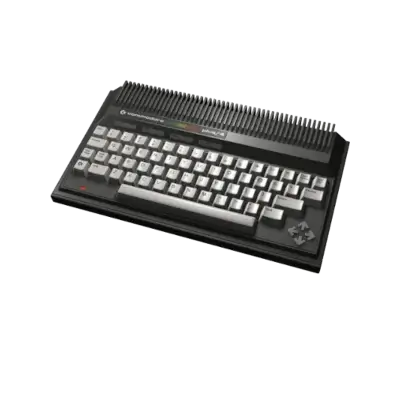

Overview
The Commodore Plus/4 (C16/Plus/4 family) is a productivity-focused 8-bit computer released in 1984. It ships with built-in office programs (Word Writer, Spreadsheet, etc.) and a MOS 7501/8501 CPU, but retains partial compatibility with Commodore 64 titles. REG-Linux treats it as part of the c64 group while offering the cplus4 artwork set where available.
Technical specifications
- CPU: MOS 7501/8501 at 1.77 MHz (6502-derived)
- Memory: 64 KB RAM plus 96 KB ROM space for bundled software
- Graphics: VIC-II compatible for 320×200/16-color output
- Sound: TED chip with three square-wave channels and DAC output
Supported ROM extensions
d64, prg, tap, m3u, zip, 7z
Quick reference
- Emulators: VICE (xplus4), libretro: vice_xplus4
- ROM folder:
/userdata/roms/cplus4 - Accepted formats:
.d64,.prg,.tap,.m3u,.zip,.7z
BIOS
No additional BIOS files are required for Plus/4 emulation; VICE ships with everything needed.
ROMs
Store Plus/4 disk, cartridge and tape images in /userdata/roms/cplus4. Use raw images or zipped collections depending on your preference.
Emulators
VICE (xplus4)
The standalone xplus4 emulator targets the Plus/4, C16 and related machines. REG-Linux surfaces standardized options such as cplus4.videomode, cplus4.padtokeyboard, cplus4.ratio, cplus4.bezel, cplus4.hud, etc.
| ES setting name REG-Linux.conf_key | Description => ES option key_value |
|---|---|
ZOOM (HIDE BORDERS) cplus4.noborder |
Hide the overscan border (useful when games draw HUD elements in it). => NO (default) 0, YES 1. |
RetroArch (libretro: vice_xplus4)
libretro: vice_xplus4 runs Plus/4 content inside RetroArch. Settings are available via the Quick Menu ([HOTKEY] + south button) and include global options (cplus4.videomode, cplus4.shaderset) plus vice core keys.
| ES setting name REG-Linux.conf_key | Description => ES option key_value |
|---|---|
GRAPHICS API cplus4.gfxbackend |
Choose OpenGL or Vulkan. |
AUDIO LATENCY cplus4.audio_latency |
Adjust buffer size to fix pops. |
ALLOW ROTATION cplus4.video_allow_rotate |
Permit rotated output from the core. |
CONTROLLER TO LIGHT GUN cplus4.lightgun_map |
Map buttons to gun inputs when needed. |
MODEL TYPE global.plus4_model |
Lock to a specific machine variant (PLUS4 PAL/NTSC, C16, etc.). |
COLOR FILTER global.vice_plus4_external_palette |
Override the color palette. |
ASPECT RATIO global.vice_aspect_ratio |
Set the output ratio (PAL vs NTSC). |
ZOOM MODE global.vice_zoom_mode |
Manage border cropping. |
BUTTON OPTIONS global.vice_retropad_options |
Customize face button behaviour. |
CONTROLLER PORT global.vice_joyport |
Force joystick port 1 or 2. |
CONTROLLER TYPE global.vice_joyport_type |
Choose joystick/paddle/mouse. |
KEYBOARD PASS-THROUGH global.vice_keyboard_pass_through |
Pass physical keyboard events to the core. |
Controls
The default Plus/4 layout maps to the REG-Linux Retropad. Use VICE or RetroArch’s input configuration for title-specific adjustments.

Troubleshooting
- Switch joystick ports if input feels wrong (
global.vice_joyport). - Toggle the zoom/border option if the game draws HUD elements in the border area.