CreatiVision

Overview
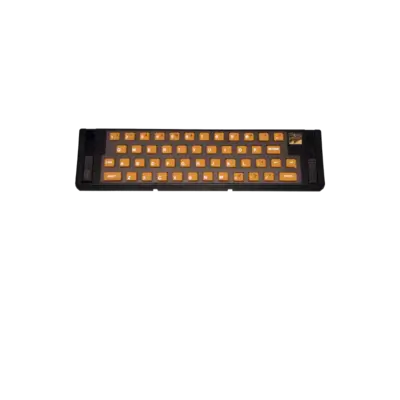
The CreatiVision is a hybrid computer/console developed by VTech and first released in 1982. Its detachable keypad/joystick combo lets it function as both a game system and a compact keyboard-driven computer. REG-Linux treats this platform as crvision within the arcade group so themes with the crvision art set can highlight it.
Technical specifications
- CPU: MOS Technology 6502 at 1.79 MHz
- Memory: 1 KB RAM plus 16 KB onboard ROM per unit and cartridge slots for extra ROM
- Graphics: TMS9918A VDP with 256×192 resolution, 16 colors, 32 sprites
- Sound: AY-3-8910 PSG delivering three channels
Supported ROM extensions
bin, rom, zip, 7z
Quick reference
- Emulator: MAME
- ROM folder:
/userdata/roms/crvision - Accepted formats:
.bin,.rom,.zip,.7z
BIOS
MAME requires the crvision.zip (or .7z) BIOS archive in your roms/crvision or global bios/ folder to drive the CreatiVision hardware. Leave the filename intact so REG-Linux can detect it.
ROMs
Place CreatiVision cartridge images in /userdata/roms/crvision. MAME loads raw ROMs or zipped collections containing the same files.
Emulators
MAME
MAME handles CreatiVision emulation. Use the in-game menu ([HOTKEY] + south button or Tab) to adjust controllers, scaling or other options. REG-Linux exposes crvision.videomode, crvision.decoration and crvision.padtokeyboard system-wide.
| ES setting name REG-Linux.conf_key | Description => ES option key_value |
|---|---|
GRAPHICS BACKEND crvision.video |
Choose BGFX shader-based rendering or Accel/OpenGL for a direct feed. |
BGFX BACKEND crvision.bgfxbackend |
Select the BGFX graphics API. |
BGFX VIDEO FILTER crvision.bgfxshaders |
Apply CRT or scaling shaders. |
CRT SWITCHRES crvision.switchres |
Enable SwitchRes for CRT setups. |
TATE MODE crvision.rotation |
Rotate the output for vertical monitors. |
ALT DPAD MODE crvision.altdpad |
Adjust D-pad orientation if controllers behave oddly. |
MEDIA TYPE crvision.altromtype |
Signal whether a file is a cartridge or cassette. |
CUSTOM CONFIG crvision.pergamecfg |
Enable per-game MAME configuration. |
Controls
The CreatiVision controller overlay features a numeric keypad and joystick. The default mapping is shown on a REG-Linux Retropad:

Remap inputs per game through MAME’s UI when certain keypad buttons are required.
Troubleshooting
- Confirm
crvision.zip(or.7z) exists in thebiosfolder and matches the expected name. - Remap controls if the keypad overlay requires special keys not present on standard gamepads.
- For driver-specific problems, consult the MAME troubleshooting section.