DAPHNE LaserDisc

Overview
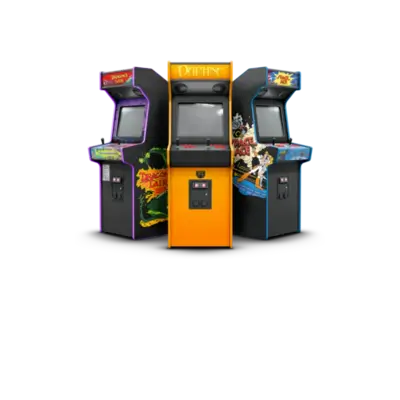
DAPHNE is a LaserDisc arcade emulator created for full‑motion video titles like Dragon’s Lair and Space Ace. REG-Linux uses the Hypseus Singe fork to run these FMV-based experiences, so the system is tagged as daphne/arcade and shows the dedicated artwork set when available.
Technical details
- Hardware: LaserDisc-based arcade boards with 35mm disc playback and simple input prompts
- Supported titles: Dragon’s Lair 1/2, Space Ace, Cliff Hanger, Galaxy Ranger, Road Blaster, etc.
- Platform tags:
alg,daphne,arcade
Supported ROM extensions
.daphne, .squashfs
Quick reference
- Emulator: Hypseus Singe (DAPHNE/Hypseus)
- ROM folder:
/userdata/roms/daphne - Accepted formats:
.daphne,.squashfs
ROM structure
Each DAPHNE game needs two components:
- A folder named
<game>.daphnecontaining: framefile (.txt), movie files (.m2v,.ogg), optional command overrides (.commands). - A
.zip(named identically) insideroms/daphne/romscontaining the ROM data. Without the.zip, games appear in the list but cannot launch.
Example layout:
roms/
└─ daphne/
   ├─ dle21.daphne/
   │  ├─ dle21.txt
   │  ├─ lair.m2v
   │  └─ lair.ogg
   └─ roms/
      └─ dle21.zip
Emulator options
DAPHNE/Hypseus
REG-Linux runs the Hypseus Singe fork. It exposes standardized features such as daphne.videomode, daphne.ratio, daphne.padtokeyboard plus detailed daphne.* configuration keys.
| ES setting name REG-Linux.conf_key | Description => ES option key_value |
|---|---|
GRAPHICS API daphne.gfxbackend |
Choose OpenGL or Vulkan. |
ASPECT RATIO daphne.daphne_ratio |
Original, stretch or forced 4:3. |
SCREEN ROTATION daphne.daphne_rotate |
Rotate 0°/90°/270°. |
BILINEAR FILTER daphne.bilinear_filter |
Smooth video with bilinear filtering. |
SCANLINES daphne.daphne_scanlines |
Toggle scanline overlay. |
BLEND SPRITES daphne.blend_sprites |
Restore outlines for Singe sprites (ActionMax). |
OVERLAY SIZE daphne.overlay_size |
Change overlay scaling for Singe games. |
ABSOLUTE MOUSE daphne.abs_mouse_input |
Needed for lightgun-based titles. |
INVERT AXIS daphne.invert_axis |
Flip vertical axis for flight games. |
JOYSTICK SENSITIVITY daphne.singe_joystick_range |
Set joystick response (5-20). |
HIDE CROSSHAIRS daphne.singe_crosshair |
Hide lightgun cursors when desired. |
TEXTURE STREAMING daphne.daphne_texturestream |
Stream video textures for performance (avoid with ActionMax/scanlines). |
CUSTOM CONTROLLER daphne.daphne_joy |
Force custom controller config from custom.ini. |
Use a <game>.commands file inside the .daphne folder to pass extra command-line parameters (e.g., -nocrc -latency 950).
Controls
The default overlay maps console inputs to the Retropad. Press Start to toggle the overlay, move to a button with the D-pad/stick, and press a face button to activate it. Press Start again to hide the overlay.

| Gamepad control | Arcade function |
|---|---|
| SELECT | Insert coin |
| START | Start player 1 |
| A/B | Action buttons |
| X | Toggle overlay |
| D-pad | Joystick |
Troubleshooting
- Ensure each
<game>.daphnefolder has a matching.zipinsideroms/daphne/roms. - If a game needs special flags, add a
.commandsfile with the required parameters.