Dreamcast

Overview
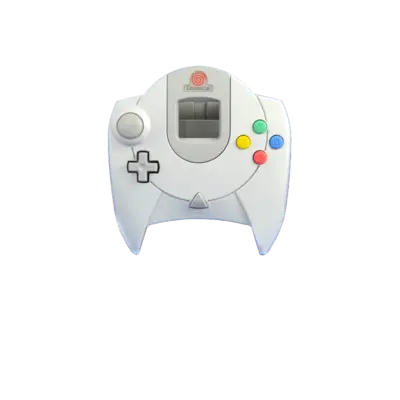
The Sega Dreamcast is Sega’s sixth-generation console released in 1998/1999. It combines an SH-4 CPU, PowerVR2 GPU, Yamaha AICA audio and built-in modem for online play. REG-Linux treats the platform under the dreamcast group so compatible themes can surface the dreamcast artwork set.
Supported ROM extensions
.cdi, .cue, .gdi, .chd, .m3u
Quick reference
- ROM folder:
/userdata/roms/dreamcast - Accepted formats:
.cdi,.cue,.gdi,.chd,.m3u - Emulators: libretro: Flycast, Flycast (standalone), Redream (if available)
BIOS
Copy the Dreamcast BIOS and flash ROM files into bios/dc/ with the exact filenames below:
| MD5 checksum | Share file path | Description |
|---|---|---|
e10c53c2f8b90bab96ead2d368858623 |
bios/dc/dc_boot.bin |
Dreamcast BIOS (World) |
0a93f7940c455905bea6e392dfde92a4 |
bios/dc/dc_flash.bin |
Dreamcast flash (USA) |
d407fcf70b56acb84b8c77c93b0e5327 |
bios/dc/dc_boot.bin |
Dreamcast BIOS (Region-free) |
93a9766f14159b403178ac77417c6b68 |
bios/dc/dc_flash.bin |
Dreamcast flash (Region-free) |
23df18aa53c8b30784cd9a84e061d008 |
bios/dc/dc_flash.bin |
Dreamcast flash (Europe) |
69c036adfca4ebea0b0c6fa4acfc8538 |
bios/dc/dc_flash.bin |
Dreamcast flash (Japan) |
The USA/World pair is sufficient for most games; keep additional region files handy for compatibility testing.
ROMs
Dreamcast titles appear as GD‑ROM dumps. Launch the descriptor (.gdi or .cue) rather than individual .bin/.raw tracks. CHD compression is recommended—use chdman 0.230+ and convert from .gdi rather than .cue to avoid issues.
Multi-disc games
Use .m3u playlists containing each .gdi/.cue entry:
Shenmue (Disc 1).gdi
Shenmue (Disc 2).gdi
Shenmue (Passport).gdi
Load the playlist in EmulationStation to let Flycast swap discs automatically.
Disc compression
- Convert
.gdidumps to CHD for smaller storage. - If compressed games fail, reconvert from a fresh
.gdidump.
Emulators
libretro: Flycast
Flycast is the RetroArch core of Dreamcast emulation. It exposes Dreamcast-specific options (upscaling, widescreen, texture packs, crosshairs). Access them through the Quick Menu while a game runs.
Flycast (standalone)
The standalone Flycast emulator provides the same features via its native UI and can be launched through the flycast entry.
Redream
Redream is a standalone emulator with high compatibility. On newer versions, a license key is stored in /userdata/system/configs/redream/redream.key. On ARM platforms the key is not required. Redream was removed on Wayland builds due to compatibility issues.
Texture packs
To load custom textures in Flycast:
1. Extract the pack into saves/dreamcast/flycast/textures/<game ID>/.
2. Run flycast-config, enable “Load Custom Textures” in Settings → Video.
3. Relaunch the game.
Controls
The default Dreamcast layout maps to the REG-Linux Retropad overlay:

Each emulator also uses its own [HOTKEY] combos—consult the EmulationStation menu or the emulator’s documentation for precise bindings.
Troubleshooting
- Ensure the BIOS/flash files in
bios/dc/match the checksums above. - Use CHD conversions from
.gdito avoid loader issues. - Multi-disc games should always be launched from
.m3uplaylists for automatic swapping.