Nintendo Game & Watch

Overview
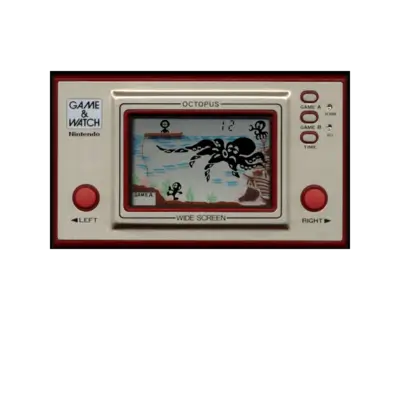
Nintendo’s Game & Watch line (1980–1991) consists of simple LCD handhelds that predate the Game Boy. Each system features a single game with dedicated buttons, and REG-Linux emulates the range via the gameandwatch system group, grouped under lcdgames in EmulationStation.
Supported ROM extensions
.mgw, .zip, .7z
Quick reference
- ROM folder:
/userdata/roms/gameandwatch - Accepted formats:
.mgw,.zip,.7z - Emulators: libretro: gw, MAME
- System group:
lcdgames
BIOS
No BIOS is necessary for Game & Watch emulation.
ROMs
Store each .mgw file or archive in /userdata/roms/gameandwatch. The libretro: gw core also accepts zipped collections.
Emulators
RetroArch (libretro: gw)
The gw-libretro core simulates Game & Watch hardware using original artwork and input overlays. Use the Quick Menu ([HOTKEY] + south button) to access remapping and options.
Standardized options: gameandwatch.videomode, gameandwatch.ratio, gameandwatch.smooth, gameandwatch.shaders, gameandwatch.pixel_perfect, gameandwatch.decoration, gameandwatch.game_translation, gameandwatch.audio_latency, gameandwatch.video_threaded.
| ES setting name REG-Linux.conf_key | Description => ES option key_value |
|---|---|
GRAPHICS BACKEND gameandwatch.gfxbackend |
Choose OpenGL or Vulkan rendering. |
AUDIO LATENCY gameandwatch.audio_latency |
Adjust buffer size to reduce crackle. |
THREADED VIDEO gameandwatch.video_threaded |
Offload video rendering to another thread. |
MAME
MAME’s LCD driver also emulates the Game & Watch lineup. Open the in-game menu to adjust inputs and video filters. Standardized options include gameandwatch.videomode, gameandwatch.decoration, gameandwatch.padtokeyboard, plus the same BGFX settings listed in the Quick Menu section above.
Controls
Game & Watch inputs map to the REG-Linux Retropad overlay. Use the overlay and the emulator’s menu to simulate console buttons or toggle the virtual keypad.

Troubleshooting
- Confirm ROMs live in
/userdata/roms/gameandwatchand use supported extensions. - If issue persists, try the MAME driver instead of the libretro core.