Game.com

Overview
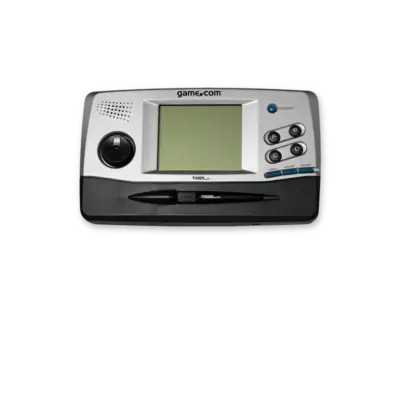
Tiger Electronics’ Game.com is a fifth-generation portable released in 1997 with built-in internet connectivity, touchscreen, and PDA-style features. Despite its ambition, it remained fringe. REG-Linux tags the system under gamecom and uses the corresponding artwork set.
Supported ROM extensions
bin, tgc, zip, 7z
Quick reference
- Emulator: MAME
- ROM folder:
/userdata/roms/gamecom - Accepted formats:
.bin,.tgc,.zip,.7z
BIOS
The MAME driver requires gamecom.zip (or .7z) placed in bios/ or the ROM folder. Keep the filename unchanged for detection.
ROMs
Store Game.com cartridges in /userdata/roms/gamecom. The driver reads zipped archives directly.
Emulators
MAME
MAME (and the former MESS project) provides the Game.com driver. Use the in-game menu ([HOTKEY] + south button or Tab) to remap inputs, attach media or tweak video filters.
Standardized options: gamecom.videomode, gamecom.decoration, gamecom.padtokeyboard.
| ES setting name REG-Linux.conf_key | Description => ES option key_value |
|---|---|
GRAPHICS BACKEND gamecom.video |
Choose BGFX, Accel or OpenGL rendering. |
BGFX GRAPHICS API gamecom.bgfxbackend |
Choose the BGFX backend. |
BGFX VIDEO FILTER gamecom.bgfxshaders |
Apply CRT/scaling shaders. |
CRT SWITCHRES gamecom.switchres |
Enable SwitchRes profiles. |
VERTICAL ROTATION gamecom.rotation |
Rotate for vertical games. |
ALT DPAD MODE gamecom.altdpad |
Adjust D-pad orientation for odd controllers. |
Controls
The default Game.com button mapping appears on a REG-Linux Retropad overlay:

Use the MAME input menu to remap extra buttons or stylus inputs when needed.
Troubleshooting
- Verify
gamecom.zipexists with the correct checksum and sits inside/userdata/bios/or/userdata/roms/gamecom. - Try alternative ROM dumps if a cartridge refuses to load—some archives are mislabeled.
- Consult the MAME troubleshooting section for driver issues.