Game Pocket Computer
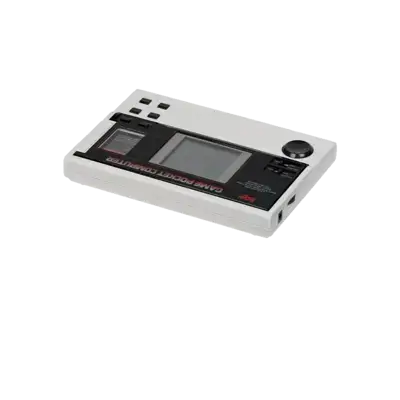

Overview
Epoch launched the Game Pocket Computer (known as Pokekon in Japan) in 1984. It was the first handheld console to ship with interchangeable cartridges, five titles, and four AA batteries. The tiny grayscale LCD offered adjustable contrast, and the control set consisted of an eight-way d-pad, four buttons, and a sound on/off switch. Despite its innovation, the system was a commercial failure in Japan and never expanded internationally.
REG-Linux assigns the Game Pocket Computer to the gamepock system group so metadata scraping and theming stay focused on this unique platform.
Technical specifications
- Manufacturer: Epoch
- Release year: 1984
- Hardware type: portable
Supported ROM extensions
bin, zip, 7z
Quick reference
- Emulators: MAME, RetroArch
- Core: libretro: mame
- ROM folder:
/userdata/roms/gamepock - Accepted ROM formats:
.bin,.zip,.7z - System group:
gamepock
BIOS
No Game Pocket Computer emulator in REG-Linux requires a BIOS file.
ROMs
Place your Game Pocket Computer ROMs in /userdata/roms/gamepock.
Emulators
MAME
The standalone MAME builds replicate the original hardware with high accuracy. Use the system's configuration interfaces to tweak video, sound and input options per title.
RetroArch
RetroArch is the frontend that runs the libretro MAME core. It provides shared shaders, overlays, rewinding, netplay and hotkey systems on top of the core's accuracy.
RetroArch configuration
While a core is running, press [HOTKEY] + the south face button (see controller configuration) to open the Quick Menu. From there you can change inputs, overrides, shaders and the RetroArch advanced settings. REG-Linux also exposes many of those toggles within EmulationStation for convenience.
Controls
The default Game Pocket Computer mapping follows the REG-Linux Retropad layout. Adjust it using the controller configuration menu.