Game Boy
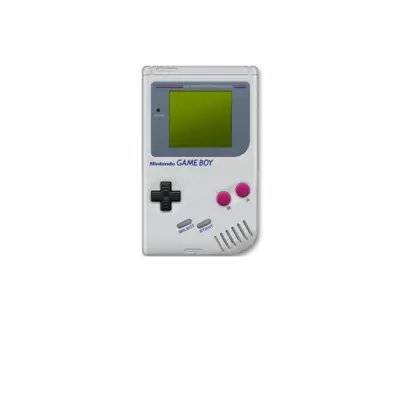

Overview
Launched in July 1989 at a price of $89.95, the Game Boy introduced Nintendo's LR35902 core (essentially a merged Z80/8080) to a portable form factor sporting a monochrome 160×144 display with four shades of gray. REG-Linux categorizes every Game Boy title under the gb system group so metadata, themes and visual sets stay aligned with this classic handheld and its peripherals like the Super Game Boy.
Technical specifications
- Manufacturer: Nintendo
- Release year: 1989
- Hardware type: portable
- CPU: Sharp LR35902 (hybrid Z80/Intel 8080) at 4.19 MHz
- Memory: 8 KB internal RAM plus 8 KB video RAM dedicated to the LCD controller
- Display: 160×144 reflective monochrome LCD with four grayscale steps and a 59.7 Hz refresh
- Sound: Four-channel audio (two pulse, one wave, one noise) with stereo headphone output
Supported ROM extensions
gb, zip, 7z
Quick reference
- Emulator: RetroArch
- Cores available: libretro: Gambatte, libretro: mGBA, libretro: VBA-M, libretro: MesenS
- ROM folder:
/userdata/roms/gb - Accepted ROM formats:
.gb,.zip,.7z - System group:
gb
BIOS
Dozens of Game Boy emulators run without BIOS files, and REG-Linux follows that model. If you prefer the original startup animation, place bios/gb_bios.bin next to bios/gba_bios.bin.
| MD5 checksum | Share file path | Description |
|---|---|---|
32fbbd84168d3482956eb3c5051637f5 |
bios/gb_bios.bin |
Game Boy BIOS |
ROMs
Put Game Boy ROMs in /userdata/roms/gb. Want to boot games in Super Game Boy mode? Use the roms/sgb folder and the SNES/RetroArch integration. For linked multiplayer sessions, consult GB2Players.
Emulators
RetroArch
RetroArch is the frontend that unifies libretro cores, providing shared shaders, overlays, hotkeys, rewind, netplay and other enhancements. REG-Linux exposes many of the same options through EmulationStation menus.
RetroArch configuration
Open the Quick Menu with [HOTKEY] + the south face button (see controller configuration) while a core is running to tweak per-game overrides, controller mappings or shaders.
Standardized settings available to every Game Boy core include gb.videomode, gb.ratio, gb.smooth, gb.shaders, gb.pixel_perfect, gb.decoration and gb.game_translation.
| ES setting name | REG-Linux.conf_key | Description & values |
|---|---|---|
| GRAPHICS API | gb.gfxbackend |
Choose OpenGL (opengl) or Vulkan (vulkan). |
| AUDIO LATENCY | gb.audio_latency |
Buffer size in milliseconds: 256, 192, 128, 64, 32, 16, 8. Increase for crackles, lower for tighter latency once audio stabilizes. |
| THREADED VIDEO | gb.video_threaded |
Use a second thread for video processing (true On, false Off). |
libretro: Gambatte
Gambatte is Nintendo-accurate, high-compatibility Game Boy/Color emulation built on extensive reverse engineering tests and documentation. REG-Linux includes the libretro core so you can benefit from its precise timing.
libretro: Gambatte configuration
| ES setting name | REG-Linux.conf_key | Description & values |
|---|---|---|
| SHOW BIOS BOOTLOGO | global.gb_bootloader |
Show the original boot animation when starting a ROM (enabled, disabled). |
| GHOSTING EFFECT | global.gb_mix_frames |
Simulate the original LCD ghosting (disabled, mix, mix_fast, lcd_ghosting, lcd_ghosting_fast). |
| COLOR CORRECTION (GBC) | gbc.gbc_color_correction |
Adjust colors to emulate real Game Boy Color hardware (disabled, always). |
| COLORIZATION (GB) | gb.gb_colorization |
Select from dozens of palettes (DMG, GBC tints, Super Game Boy mixes, special palettes like TI-83 Legacy or Yellow Banana). |
libretro: mGBA
mGBA is a fast, accurate Game Boy Advance-focused core that also handles Game Boy and Game Boy Color software. REG-Linux exposes the same Shared libretro feature set so you can tweak interesting options.
libretro: mGBA configuration
| ES setting name | REG-Linux.conf_key | Description & values |
|---|---|---|
| SHOW BIOS BOOTLOGO | global.skip_bios_mgba |
Show the BIOS animation when a BIOS file is present (True, False). |
| SUPER GB BORDERS (GB) | gb.sgb_borders |
Display Super Game Boy borders for compatible Game Boy titles (False, True). |
| COLOR CORRECTION (GB) | gb.color_correction |
Simulate LCD color inaccuracies on GB games (False, GBA). |
| SUPER GB BORDERS (GBC) | gbc.sgb_borders |
Enable Super Game Boy borders for GBC content (False, True). |
| COLOR CORRECTION (GBC) | gbc.color_correction |
Simulate Game Boy Color colors (False, GBC). |
| SOLAR SENSOR LEVEL | gba.solar_sensor_level |
Adjust the solar sensor for Boktai titles (0-10). |
| FRAMESKIP | gba.frameskip_mgba |
Skip additional frames to improve performance (0-10). |
libretro: VBA-M
VBA-M builds on the classic VisualBoyAdvance with debugging, filtering and palette support across GB, GBC and GBA games.
libretro: VBA-M configuration
| ES setting name | REG-Linux.conf_key | Description & values |
|---|---|---|
| COLORIZATION (GB) | gb.palettes |
Choose from palettes such as original gameboy, black and white, gba sp, blue sea, dark knight, green forest, hot desert, pink dreams, weird colors, plus many Super Game Boy and special palettes. |
| COLOR CORRECTION (GB) | gb.gbcoloroption_gb |
Simulate OG LCD color inaccuracies (disabled, enabled). |
| SUPER GB BORDERS (GB) | gb.showborders_gb |
Show Super Game Boy borders (disabled, enabled). |
| COLOR CORRECTION (GBC) | gbc.gbcoloroption_gbc |
Simulate Game Boy Color LCD behavior (disabled, enabled). |
| SUPER GB BORDERS (GBC) | gbc.showborders_gbc |
Enable Super Game Boy borders for GBC content (disabled, enabled). |
| SOLAR SENSOR LEVEL | gba.solarsensor |
Adjust Boktai solar sensor input (0-10). |
| SENSOR SENSITIVITY (GYRO) | gba.gyro_sensitivity |
Modify gyro sensitivity (10-120). |
| SENSOR SENSITIVITY (TILT) | gba.tilt_sensitivity |
Modify tilt sensitivity for gyro-assisted titles (10-120). |
libretro: MesenS
MesenS is a SNES emulator that can boot Game Boy games through a Super Game Boy interface when the required BIOS files are installed. Place ROMs in roms/sgb and launch them from the SNES library to simulate playing on a Super Game Boy cartridge.
Controls
Game Boy games adopt the default REG-Linux Retropad layout. Use the controller configuration menus to remap buttons per core or per game when needed.