GP32
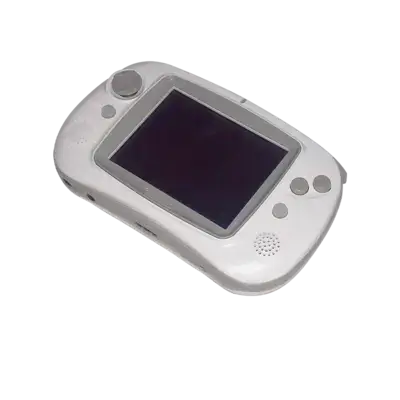

Overview
The South Korean Game Park GP32 launched in 2001 with a 32-bit ARM920T CPU and 8 MB of RAM, making it one of the most modern handhelds of its time. Its open architecture encouraged homebrew development and media playback (MP3, DivX) while still shuffling commercial releases via third-party flash adapters. REG-Linux groups all GP32 titles under the gp32 system to keep themes and metadata aligned.
Technical specifications
- Manufacturer: Game Park
- Release year: 2001
- Hardware type: portable
- CPU: ARM920T at 133 MHz
- Memory: 8 MB SDRAM + 2 MB NOR flash
- Display: 320x240 transflective TFT LCD with 65,536 colors
- Sound: AC97-compatible codec with stereo DAC
Supported ROM extensions
smc, zip, 7z
Quick reference
- ROM folder:
/userdata/roms/gp32 - Accepted ROM formats:
.smc,.zip,.7z - Emulators: MAME (standalone), RetroArch with libretro: mame
- System group:
gp32
BIOS
GP32 emulation requires no separate BIOS files.
ROMs
Store every GP32 ROM in /userdata/roms/gp32.
Emulators
MAME
MAME (Multiple Arcade Machine Emulator) runs the GP32 hardware natively. It exposes its settings inside the in-game menu ([TAB] or [HOTKEY] + the south face button) so you can remap inputs, adjust orientation or tweak performance per title. If you run into a problem, consult the MAMEdev FAQ for that game.
RetroArch
RetroArch acts as the frontend for the libretro MAME core, giving you shared shaders, overlays, hotkeys, rewind, netplay and VA hooks across systems.
RetroArch configuration
Open the Quick Menu with [HOTKEY] + the south face button (see controller configuration) to change per-core overrides, controller mappings and shaders. REG-Linux also surfaces many of these options through EmulationStation menus.
Controls
The default GP32 layout maps to the REG-Linux Retropad. Use the controller remapping tools if you want to tweak button assignments.