GX4000

Overview
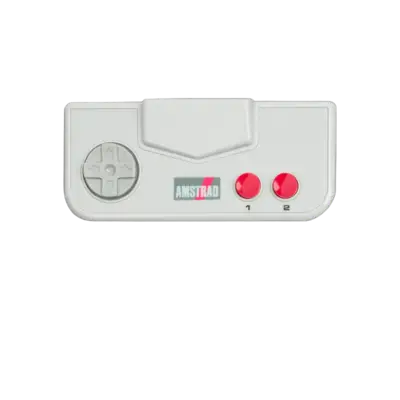
Amstrad launched the GX4000 in 1990 at around GBP 99.99. Built atop the CPC Plus hardware, it shipped without a keyboard while maintaining compatibility with many Amstrad CPC titles that could be controlled with the console's joystick. REG-Linux places each GX4000 entry under the gx4000 system group so metadata sets stay consistent across themes.
Technical specifications
- Manufacturer: Amstrad
- Release year: 1990
- Hardware type: home console (cartridge)
- CPU: Zilog Z80A at 3.58 MHz, matching the CPC series
- Memory: 64 KB RAM + 16 KB video RAM (TMS9918A-based VDP)
- Display: 256x192 with 32 colors per tile and hardware sprites
- Sound: AY-3-8912 PSG with three square waves and noise channel
Supported ROM extensions
dsk, m3u, cpr, zip, 7z
Quick reference
- ROM folder:
/userdata/roms/gx4000 - Accepted ROM formats:
.dsk,.m3u,.cpr,.zip,.7z - Emulator/Core: RetroArch → libretro: cap32
- System group:
gx4000
BIOS
No BIOS file is required for GX4000 emulation in REG-Linux.
ROMs
Store your Amstrad GX4000 cartridges/roms inside /userdata/roms/gx4000.
Emulators
RetroArch
RetroArch runs the libretro port of Caprice32 (cap32) to emulate GX4000 hardware. The frontend supplies shaders, hotkeys, overlays, rewind, netplay and latency options across every core.
RetroArch configuration
While a core is running, press [HOTKEY] + the south face button (see controller configuration) to open the Quick Menu. Use it to edit core-specific values, controller mappings and shaders; REG-Linux mirrors most of those options through the EmulationStation menus.
Standardized settings available to every GX4000 session include gx4000.videomode, gx4000.ratio, gx4000.smooth, gx4000.shaders, gx4000.pixel_perfect, gx4000.decoration and gx4000.game_translation.
| ES setting name | REG-Linux.conf_key | Description & values |
|---|---|---|
| GRAPHICS API | gx4000.gfxbackend |
Choose OpenGL (opengl) or Vulkan (vulkan). |
| AUDIO LATENCY | gx4000.audio_latency |
Buffer size in milliseconds (256, 192, 128, 64, 32, 16, 8). Raise the value to address crackling. |
| THREADED VIDEO | gx4000.video_threaded |
Offload video rendering to a second thread for better performance (true On, false Off). |
libretro: cap32
Caprice32 accurately reproduces the Amstrad CPC/GX4000 line. The libretro port (libretro: cap32) mimics CPC464, CPC664, CPC6128, CPC6128+ and GX4000 timing.
libretro: cap32 configuration
| ES setting name | REG-Linux.conf_key | Description & values |
|---|---|---|
| CPC MODEL | global.cap32_model |
Pick the emulator target (464, 6128, 6128+). |
| EMULATED RAM SIZE | global.cap32_ram |
Select memory size for the machine (64, 128, 192, 512, 576+ KB). |
Controls
The default GX4000 layout maps to the REG-Linux Retropad. You can reference the RetroPad-to-Amstrad joystick table inside the controller configuration documentation to replicate FIRE1/FIRE2, SPACE, SHIFT and other commands.
Troubleshooting
If you hit issues, consult Caprice32's documentation.