Laser 310

Overview
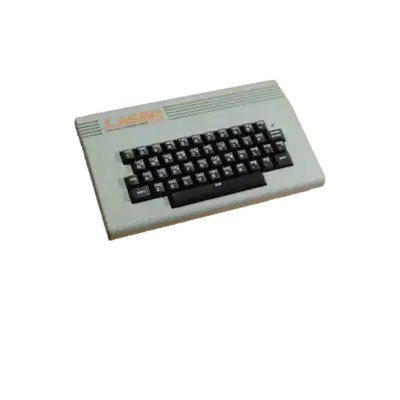
The VTech Laser 310 is an 8-bit home computer released in 1984; its Australian counterpart shipped as the Dick Smith Electronics VZ-300. REG-Linux keeps every Laser 310 title inside the laser310 system group so metadata scraping, themes and visual sets stay aligned.
Technical specifications
- Manufacturer: VTech
- Release year: 1984
- Hardware type: home computer
Supported ROM extensions
vz, wav, cas, zip, 7z
Quick reference
- ROM folder:
/userdata/roms/laser310 - Accepted ROM formats:
.vz,.wav,.cas,.zip,.7z - BIOS archive:
/userdata/bios/laser310.zip - Emulators: RetroArch (
libretro: mame), standalone MAME - System group:
laser310
BIOS
Place bios/laser310.zip inside /userdata/bios/. Do not rename the files inside; MAME expects the internal vtechv20.u12 (BASIC 2.0) and optional vtechv21.u12 (BASIC 2.1 hack) binaries.
| MD5 checksum | Share file path | Description |
|---|---|---|
42c8f9e6c2133ae0e953b89ccbbdb7e2 |
bios/laser310.zip |
vtechv20.u12: BASIC V2.0 |
f7e5d9a3eb2b57bf5f4e2a4565318a8f |
bios/laser310.zip |
vtechv21.u12: BASIC V2.1 (hack) |
ROMs
Store Laser 310 software under /userdata/roms/laser310. Snapshots (.vz) are preferred because they include bootstrap headers, while .wav and .cas cassette dumps must be loaded manually via BASIC commands (CLOAD, RUN, etc.).
Emulators
RetroArch
RetroArch exposes the libretro: mame core for Laser 310 content. Use the Quick Menu ([HOTKEY] + south face button) to edit core settings, controller mappings and shaders. REG-Linux surfaces many of the same options via EmulationStation.
libretro: mame configuration
Standardized options include laser310.autosave and laser310.netplay. The bulk of RetroArch/MAME’s global toggles remain the same as other MAME systems (overclock, rendering resolution, art filters, etc.).
| ES setting name | REG-Linux.conf_key | Description & values |
|---|---|---|
| OVERCLOCK (UNSTABLE) | global.mame_cpu_overclock |
Increase CPU speed (default, 30–150). |
| RENDERING RESOLUTION | global.mame_altres |
Scale the render target (640x480, 800x600, ..., 3840x2160). |
| SPECIAL CONTROL LAYOUTS | global.altlayout |
Select alternate layouts for multi-button games. |
| HIGH SCORE PLUGIN | global.hiscoreplugin |
Toggle high-score saving. |
| COIN SOUND PLUGIN | global.coindropplugin |
Play a coin drop effect. |
| SHARE MAME ARTWORK | global.sharemameart |
Use standalone MAME artwork paths. |
| CROP ARTWORK | global.artworkcrop |
Crop artwork around the viewport. |
| CUSTOM MAME CONFIG | global.customcfg |
Enable system-wide custom MAME settings. |
| OFF-SCREEN RELOAD BUTTON | global.offscreenreload |
Map reload to gun button 2. |
| SOFTWARE LIST | laser310.softList |
Choose vz_snap snapshots or cassette lists. |
| MEMORY SLOT | laser310.memslot |
Select 16 KB or 64 KB memory expansions. |
| MEDIA TYPE | laser310.altromtype |
Pick snap or cass. |
| UI KEYS | laser310.enableui |
Toggle in-game UI hotkeys. |
| CUSTOM CONFIG | laser310.pergamecfg |
Enable per-game custom configs. |
MAME (standalone)
The standalone MAME builds can also launch Laser 310 titles. Hit [HOTKEY] + the south button or [Tab] to access the menu and change inputs, media types and other MAME-specific settings.
Controls
Laser 310 games map to the REG-Linux Retropad. Use the on-screen overlay or MAME’s input config to align the buttons with the device’s keypad and joystick.

Troubleshooting
Consult the MAME troubleshooting section for system-specific issues.