LCD Games

Overview
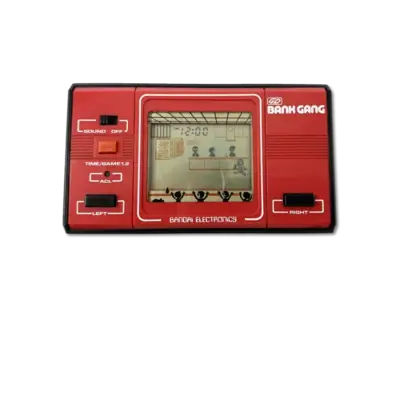
This umbrella system covers handheld LCD toys and fast-food promotions from the 1980s and 1990s (Tiger Electronics, Coleco, and similar hardware). REG-Linux groups every LCD-format dump under the lcdgames system tag so metadata scraping and theming remain consistent across these simple devices.
Supported ROM extensions
mgw, zip, 7z
Quick reference
- ROM folder:
/userdata/roms/lcdgames - Accepted ROM formats:
.mgw,.zip,.7z - Emulators: RetroArch (
libretro: mame), standalone MAME - System group:
lcdgames
BIOS
No BIOS files are required for LCD games emulation.
ROMs
Put LCD handheld images in /userdata/roms/lcdgames. MAME/MESS can load .mgw snapshots directly; zipped collections and .zip/.7z archives are also accepted. Nintendo Game & Watch dumps can live here, but they may benefit from the dedicated Game & Watch system, with both systems optionally grouped under a single LCD collection in EmulationStation.
Emulators
RetroArch (libretro: mame)
RetroArch brings the libretro: mame core to LCD handhelds so you can share hotkeys, overlays, shaders and rewind support across devices.
RetroArch configuration
While a core is running, open the Quick Menu with [HOTKEY] + the south face button (see controller configuration) to edit options, controller mappings and shaders. REG-Linux mirrors many of those toggles through EmulationStation menus.
Standardized settings include lcdgames.videomode, lcdgames.ratio, lcdgames.smooth, lcdgames.shaders, lcdgames.pixel_perfect, lcdgames.decoration, lcdgames.game_translation, lcdgames.audio_latency, lcdgames.video_threaded.
| ES setting name | REG-Linux.conf_key | Description & values |
|---|---|---|
| GRAPHICS API | lcdgames.gfxbackend |
Choose OpenGL (opengl) or Vulkan (vulkan). |
| AUDIO LATENCY | lcdgames.audio_latency |
Buffer size in milliseconds: 256, 192, 128, 64, 32, 16, 8. Increase if you hear crackles. |
| THREADED VIDEO | lcdgames.video_threaded |
Use an extra thread for rendering (true On, false Off). |
MAME
MAME can be launched directly for LCD devices. Hit [HOTKEY] + the south button or [Tab] to open the MAME menu and change inputs, video filters or controller types.
MAME configuration
Standardized options include lcdgames.videomode, lcdgames.decoration, lcdgames.padtokeyboard plus the global BGFX/resolution options.
| ES setting name | REG-Linux.conf_key | Description & values |
|---|---|---|
| VIDEO MODE | lcdgames.video |
BGFX post-processing, Accel or OpenGL rendering. |
| BGFX GRAPHICS API | lcdgames.bgfxbackend |
Select backend when BGFX is enabled. |
| BGFX VIDEO FILTER | lcdgames.bgfxshaders |
Apply shaders such as crt-geom, hq2x, eagle, etc. |
| CRT SWITCHRES | lcdgames.switchres |
Allow switch-res profiles (0 Off, 1 On). |
| VERTICAL ROTATION | lcdgames.rotation |
Rotate output for TATE titles. |
| ALT DPAD MODE | lcdgames.altdpad |
Reorient the d-pad for unusual controllers. |
Controls
Each LCD handheld had its own input set; MAME maps those buttons to the REG-Linux Retropad with reasonable defaults. The layout can be adjusted through the emulator menus or per-game overrides.
