Macintosh

Overview
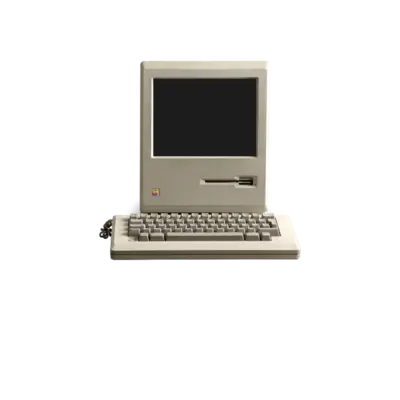
Apple introduced the original Macintosh in 1984 with the 128K model, popularizing the graphical user interface for home computers. REG-Linux treats every classic Mac model—from the monochrome 128K/512K/Plus line to later color systems—as part of the macintosh system group so metadata scraping, themes and visual sets stay synchronized.
Technical specifications
- Manufacturer: Apple
- Release year: 1984 onwards (covers early to mid-90s models)
- Hardware type: home computer
- CPU: Motorola 68000 series (8 MHz on early Macs, then 16/32-bit derivatives)
- Memory: 128 KB RAM onboard (expandable) plus video RAM and cartridge ROM slots
- Display: 512×342 monochrome (early) rising through 640×480+ color modes on later models
- Sound: Onboard speaker (early) up to multi-channel audio on later Macs
Supported ROM extensions
.dsk, .zip, .7z, .mfi, .dfi, .hfe, .mfm, .td0, .imd, .d77, .d88, .1dd, .cqm, .cqi, .ima, .img, .ufi, .ipf, .dc42, .woz, .2mg, .360, .chd, .cue, .toc, .nrg, .gdi, .iso, .cdr, .hd, .hdv, .hdi
Quick reference
- ROM folder:
/userdata/roms/macintosh - Accepted ROM formats: see table above
- Emulators: RetroArch (
libretro: minivmac,libretro: mame), standalone MAME, CLK - System group:
macintosh
BIOS
Classic Macintosh emulation relies on numerous ROM and support files. Keep every archive inside /userdata/bios/ and preserve the listed filenames; many rely on checksum matching.
| MD5 checksum | Share file path | Description |
|---|---|---|
66223be1497460f1e60885eeb35e03cc |
bios/MacII.ROM |
|
2a8a4c7f2a38e0ab0771f59a9a0f1ee4 |
bios/MacIIx.ROM |
|
bc04a4252ee96826c1f41f927c145225 |
bios/mac128k.zip |
|
1467a42dee57ac265d063b3f351189fc |
bios/macplus.zip |
|
9fb38bdcc0d53d9d380897ee53dc1322 |
bios/macse.zip |
Keep every archive zipped and named exactly as above; MAME identifies ROMs by filename and checksum, so do not extract or rename the contents. Additional zipped ROM packages (mac512k, maclc3, macclasc, etc.) follow the same principle and should also live inside /userdata/bios/.
ROMs
Store Macintosh disk and hard disk images in /userdata/roms/macintosh. Consult the emulator table below to confirm format support; floppy images (.dsk, .img, .dc42) and hard disk images (.hd, .hdv, .2mg, .chd) are most common.
Emulators
RetroArch
RetroArch exposes libretro: minivmac for early Macs and libretro: mame for broader model coverage. Open the Quick Menu ([HOTKEY] + the south face button) to adjust hotkeys, shaders, controller mapping and overrides. REG-Linux mirrors many options via EmulationStation’s settings menus.
libretro: minivmac
minivmac focuses on the 128K/512K/Plus era using simple .dsk images and ROMs. Refer to the core documentation for ROM requirements and optional keyboard overlays.
libretro: mame
The libretro: mame core follows the standalone MAME driver. It exposes shared options such as macintosh.autosave and macintosh.netplay, along with the cross-platform configuration described in MAME’s menu (software lists, RAM size, alternate ROM types, boot disks).
MAME (standalone)
Standalone MAME provides complete Macintosh hardware emulation. Press [HOTKEY] + the south button or [Tab] to access MAME’s menu, where you can adjust inputs, choose media types, and work with software lists (System 3.0–7.5.5). Standard features include macintosh.videomode, macintosh.padtokeyboard, bezel/tattoo options and additional MAME overlays.
CLK (Clock Signal)
CLK is a native low-latency emulator integrated into REG-Linux v42+ that also supports classic Macintosh systems, especially for quick-loading disk images.
Controls
Macintosh titles rely heavily on keyboard/mouse input. Use the REG-Linux Retropad overlay for default mappings or create custom pad-to-key bindings via the controller configuration menu. Consider enabling controller tattoos or bezels when playing with the numeric keypad-focused ROMs.
Troubleshooting
- Ensure every listed BIOS archive is present under
/userdata/bios/. - If floppies fail to boot, load the disk manually via the MAME menu and copy/install it into a hard disk image for faster access.
- Consult the generic support pages or refer to each emulator’s documentation (MAME, RetroArch cores, CLK) when issues persist.