Mega Duck / Cougar Boy
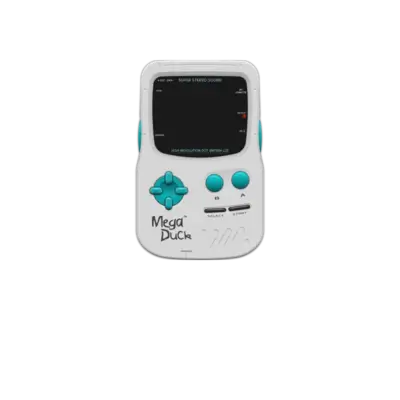

Overview
The Mega Duck handheld launched in 1993 via Welback Holdings and reached markets under names such as Cougar Boy, Creatronic, Videojet, Mega Duck Super Junior Computer and Super QuiQue. It uses an SM83 CPU and a 160×144 LCD with a three-tone PSG identical to the Game Gear. REG-Linux treats its ROMs under the megaduck system group to keep metadata consistent.
Specifications
- CPU: Sharp SM83 (LR35902 derivative) at 4.194304 MHz
- Memory: 16 KB RAM + 8 KB tile/line buffer
- Display: 160×144 color LCD with 4-bit palettes and sprite support
- Sound: SN76489-compatible PSG with three square-wave channels plus noise
Quick reference
- ROM folder:
/userdata/roms/megaduck - Accepted formats:
.bin,.zip,.7z - Emulators: RetroArch/standalone MAME (
libretro: mame,libretro: sameduck) - System group:
megaduck
BIOS
No BIOS file is required.
ROMs
Store your Mega Duck cartridge dumps inside /userdata/roms/megaduck. Keep archives zipped when MAME expects .zip or .7z files.
Emulators
RetroArch / libretro: mame
RetroArch runs MAME’s Mega Duck driver through libretro: mame (or libretro: sameduck). Open the Quick Menu ([HOTKEY] + south face button) to tweak shaders, frame-rate options, and controller mappings.
Standalone MAME
Press [HOTKEY] + the south face button or [Tab] to access the MAME menu, adjust inputs, and configure dip switches. Standardized per-system options include megaduck.videomode, megaduck.decoration, and megaduck.padtokeyboard.
In-Emulation Options
| ES setting name | REG-Linux.conf_key | Description & values |
|---|---|---|
| VIDEO MODE | megaduck.video |
Choose BGFX, Accel or OpenGL rendering. |
| BGFX GRAPHICS API | megaduck.bgfxbackend |
Select backend when BGFX is active. |
| BGFX VIDEO FILTER | megaduck.bgfxshaders |
Apply shaders such as crt-geom, hq2x, eagle. |
| CRT SWITCHRES | megaduck.switchres |
Allow switch-res profiles (0 Off, 1 On). |
| VERTICAL ROTATION | megaduck.rotation |
Use TATE-rotated displays. |
| ALT DPAD MODE | megaduck.altdpad |
Reorient D-pad for unusual controller layouts. |
Controls
Here are the default Mega Duck controls on the REG-Linux Retropad:

Troubleshooting
For MAME-specific help see /systems/mame#troubleshooting; for general issues consult the generic support pages.