MSU-MD
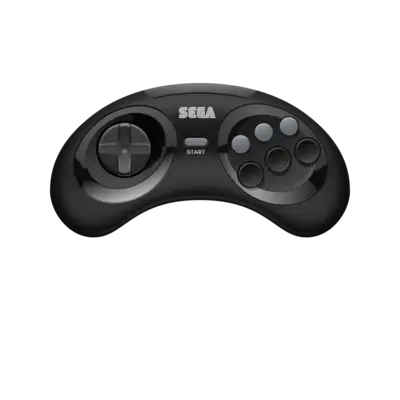

Overview
MSU-MD enables “MSU-like” Mega CD streaming support on cartridge-based Mega Drive/Genesis hardware. It uses the GenesisPlusGX core to combine CD-quality audio/video streams with ROM-loaded gameplay for modern homebrew ports.
Quick reference
- ROM folder:
/userdata/roms/msu-md - Accepted ROM formats:
.md,.zip,.7z,.squashfs - Emulator/core:
libretro: GenesisPlusGX - System group:
genesis,megadrive
ROMs
Keep each MSU-MD-compatible ZIP (matching the board ROM and CRC) in /userdata/roms/msu-md. Do not unpack the archive; GenesisPlusGX expects one compressed file per game. Some ports use .squashfs for streaming assets—those are also accepted.
Emulators
RetroArch (libretro: GenesisPlusGX)
GenesisPlusGX handles the Mega Drive, Master System, Game Gear and Mega CD libraries. Use RetroArch’s Quick Menu ([HOTKEY] + south face button) to access per-core options, lock-on controls, and hardware settings.
Relevant configuration options
| ES setting name | REG-Linux.conf_key | Description & values |
|---|---|---|
| REDUCE SPRITE FLICKERING | global.gpgx_no_sprite_limit |
Disable the 80-sprite limit. |
| NTSC FILTER (MD) | megadrive.gpgx_blargg_filter_md |
Choose Blargg filters (Off, Composite, SVGA, RGB). |
| FM CHIP | mastersystem.ym2413 |
Toggle YM2413 / FM-chip audio. |
| Controller types | megadrive.controller1_md, megadrive.controller2_md, mastersystem.controller1_ms, mastersystem.controller2_ms |
Select pads, light guns or paddles per port. |
| LCD GHOSTING | gamegear.lcd_filter |
Simulate Game Gear ghosting. |
| Extended screen | gamegear.gg_extra |
Expand view area for Game Gear titles. |
Controls
MSU-MD uses the standard Mega Drive controller mapping on the REG-Linux Retropad. Use RetroArch or EmulationStation’s input remapping for light guns, paddle controllers, or extra keys when needed.

Troubleshooting
- Verify each
.zipcontains the correct ROM set for the port