Naomi

Overview
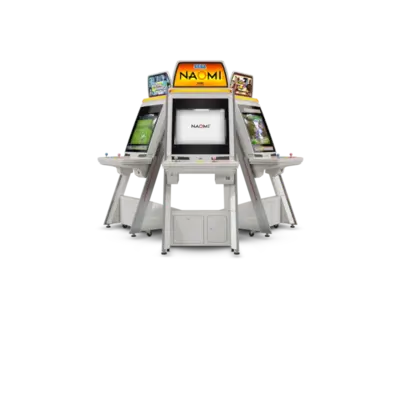
Sega’s NAOMI (New Arcade Operation Machine Idea) platform launched in 1998 as a Dreamcast-inspired arcade system. REG-Linux keeps it in the naomi metadata group and runs titles through the Flycast engines (standalone and libretro).
Quick reference
- ROM folder:
/userdata/roms/naomi - Accepted formats:
.zip,.bin,.dat,.lst,.chd,.7z - Emulators: Flycast (standalone) and
libretro: flycast - System group:
naomi,arcade
Technical specifications
- CPU: Hitachi SH-4 32-bit RISC processor running at 200 MHz.
- Memory: 16 MB main RAM, 8 MB video RAM, 2 MB sound RAM matching Dreamcast-style architecture.
- Display: PowerVR2 GPU pushing 640×480 textured polygons with perspective correction and per-pixel transparency.
- Sound: Yamaha AICA DSP delivering 64-channel ADPCM audio plus MIDI-style synthesis, matching Dreamcast audio.
BIOS
Copy naomi.zip into /userdata/bios/ or /userdata/bios/dc/. Certain titles such as House of the Dead 2, Ferrari F355 Challenge and Airline Pilots rely on their own BIOS packs; keep them next to the primary archive. BD Dash also looks for a Dreamcast BIOS and optional HDD image.
ROM structure
Flycast expects either a single ROM ZIP or a ROM folder paired with a .chd file:
/userdata/roms/naomi/
├─ ikaruga.zip
└─ ikaruga/
   └─ gdl-0010.chd
.lst/.bin pairs mirror the Dreamcast naming conventions used by standard Flycast releases.
Emulator options
Open the Quick Menu ([HOTKEY] + south button) to tweak render resolution, widescreen hacks, shader packs, and per-core controller types (gamepad, mouse, light gun).
The Flycast settings (flycast-config) expose the same toggles plus hi-res textures and community shaders. Adjust naomi.flycast_ratio, naomi.flycast_renderer,
and naomi.flycast_anisotropic as needed.
- For Wiimote/touch-themed boards (House of the Dead), ensure
global.controller1_dc/global.controller2_dcis set to the proper peripheral. - If
Free Playmisbehaves, open the in-game System Menu (L3+R3) and set the coin counter to 1 after enabling the service buttons. - Consult the Flycast compatibility list and generic support pages when issues persist.
Troubleshooting
- When a title expects Wiimote/touch input (House of the Dead, etc.), pick the correct
global.controller1_dcorglobal.controller2_dcperipheral before launching. - If Free Play or coin settings behave oddly, use the in-game System Menu (
L3+R3) to adjust the counters after enabling service buttons in RetroArch. - For broader issues consult the Flycast compatibility tracker and the generic support pages.
- For Wiimote/touch-themed boards (House of the Dead), ensure
global.controller1_dc/global.controller2_dcis set to the proper peripheral. - If
Free Playmisbehaves, open the in-game System Menu (L3+R3) and set the coin counter to 1 after enabling the service buttons. - Consult the Flycast compatibility list and generic support pages when issues persist.