Naomi 2

Overview
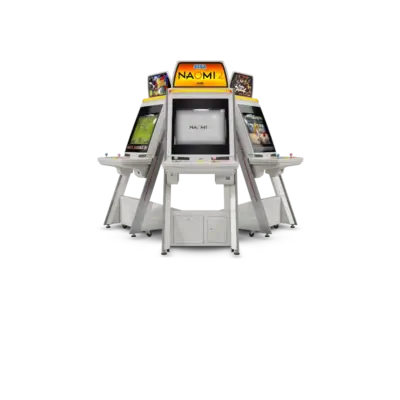
The NAOMI 2 hardware, launched in 2000, doubled down on NAOMI with dual SH-4 chips and enhanced graphics. REG-Linux indexes it as naomi2 and routes games through Flycast (standalone/libretro).
Quick reference
- ROM folder:
/userdata/roms/naomi2 - Accepted formats:
.zip,.chd,.7z - Emulators: Flycast (standalone),
libretro: flycast - System group:
naomi2
Technical specifications
- CPU: Dual Hitachi SH-4 cores at 200 MHz with PowerVR2 enhancements.
- Memory: Typically 64 MB RDRAM, 8 MB texture RAM, and optional 32 MB expansion.
- Display: PowerVR2 GPU with higher polygon throughput, 16.7 million colors, and hardware post-processing.
- Sound: Yamaha AICA with 64 ADPCM channels plus CD-quality streaming.
BIOS
Drop naomi2.zip into /userdata/bios/dc/. The archive bundles the Dreamcast BIOS and NAOMI 2 extensions so Flycast can boot the arcade sets out of the box.
ROMs
Each title should be stored in /userdata/roms/naomi2/<arcade_id>, pairing the ZIP with any .chd data files (for example, virtstrk2.zip alongside virtstrk2/virtstrk2.chd). Stick to that folder layout so Flycast can find the content.
Emulators
Flycast
Flycast exposes options for render resolution, anisotropic filtering, widescreen hacks and controller mapping (naomi2.flycast_ratio, naomi2.flycast_renderer, naomi2.flycast_anisotropic). Use the Quick Menu ([HOTKEY] + south face button) in RetroArch or the standalone menu to adjust them.
Troubleshooting
- Prefer the Vulkan renderer when available; it handles more titles than OpenGL.
- Use save states to emulate arcade memory cards when games request saved data.
- When a game refuses to boot, refer to the generic support pages.