Neo-Geo

Overview
SNK’s Neo-Geo family (MVS/AES) debuted in 1990 with arcade-grade sprites, a broad color palette, and multi-channel audio. REG-Linux exposes the neogeo metadata set and lets you pick the emulator that suits each ROM.
Quick reference
- ROM folder:
/userdata/roms/neogeo - Accepted formats:
.7z,.zip,.neo - Emulators: FBNeo, FBAlpha, imame4all, MAME,
libretro: fbneo,libretro: imame4all,libretro: mame078plus,libretro: mame0139,libretro: mame - System group:
neogeo,arcade
Technical specifications
- CPU: Motorola 68000 at 12 MHz with a Zilog Z80 co-processor dedicated to sound playback.
- Memory: 64 KB main RAM, 64 KB video RAM, and separate sprite ROM space provided by the cartridges.
- Display: 320×224 resolution capable of showing 4,096 colors simultaneously using hardware sprites (over 900 on-screen objects).
- Sound: Yamaha YM2610B FM/ADPCM chip delivering six FM channels plus ADPCM sample playback and stereo output.
BIOS
Place bios/neogeo.zip into /userdata/bios/; it contains the Neo-Geo BIOS artifacts needed by FBNeo, FBAlpha and the libretro cores. Keep the BIOS archive version aligned with the ROMset you deploy (AES, MVS, etc.).
ROMs
Drop Neo-Geo ROMs into /userdata/roms/neogeo so they get a dedicated system list. The files will also work from /userdata/roms/mame, but separating them keeps the layouts tidy. Stick to the same ROM/Bios couple (AES vs MVS) and consult the arcade guide for help aligning sets.
Emulators
FBNeo/FBAlpha
FBNeo (and its FBAlpha predecessor) are the go-to Neo-Geo emulators. Configure options such as global.fbneo-cpu-speed-adjust, global.fbneo-frameskip, the memory card behavior via neogeo.fbneo-memcard-mode, and whether a lightgun crosshair appears (global.fbneo-lightgun-hide-crosshair).
imame4all / MAME cores
The libretro builds of imame4all, MAME078plus, MAME0139 and modern MAME also handle Neo-Geo. They share the same MAME option set detailed on /systems/mame, meaning dip switches, video overrides and controller mapping are all managed through the Quick Menu and the per-core options.
Controls
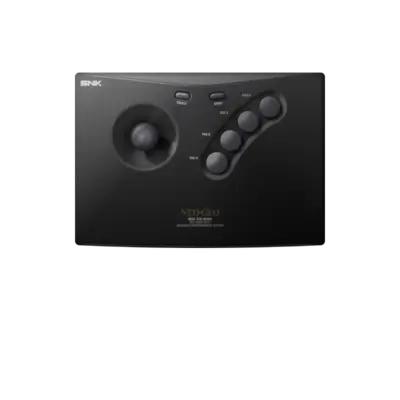
Default Neo-Geo button mappings are illustrated in ../images/controller-overlays/neogeo-1.png. Use this overlay to match the REG-Linux Retropad inputs with the arcade controller and memory card buttons.
Troubleshooting
Most Neo-Geo issues are covered in the generic arcade guide. When a ROM does not boot, ensure the BIOS archive matches that ROMset and experiment with FBNeo versus the libretro cores until one accepts the file.