Neo-Geo CD

Overview
SNK's Neo-Geo CD brought arcade-perfect games to discs in 1994 by reusing the same hardware as the MVS/AES platforms while adding CD storage.
Quick reference
- ROM folder:
/userdata/roms/neogeocd - Accepted formats:
.cue,.iso,.chd - Emulators:
libretro: neocd,libretro: fbneo - System group:
neogeocd,arcade
Technical specifications
- CPU: Motorola 68000 at 12 MHz with a Zilog Z80 co-processor, mirroring the arcade MVS architecture.
- Memory: 64 KB main RAM, 64 KB video RAM, supplemented by CD streaming buffers for sprites/textures.
- Display: 320×224 resolution, 4096 simultaneous colors, Neo Geo-style sprites.
- Sound: Yamaha YM2610B FM/ADPCM with dedicated stereo DACs plus CD audio playback.
BIOS
Install the required Neo-Geo CD BIOS files in /userdata/bios/neocd/. Having multiple revisions lets you select the desired system variant through the advanced system options. For REG-Linux v34+, the recommended list includes:
| MD5 checksum | Share file path | Description |
|---|---|---|
8834880c33164ccbe6476b559f3e37de |
bios/neocd/neocd_f.rom |
Front-loading |
043d76d5f0ef836500700c34faef774d |
bios/neocd/neocd_sf.rom |
Front single-fed |
de3cf45d227ad44645b22aa83b49f450 |
bios/neocd/neocd_t.rom |
Top-loading |
f6325a33c6d63ea4b9162a3fa8c32727 |
bios/neocd/neocd_st.rom |
Top single-fed |
11526d58d4c524daef7d5d677dc6b004 |
bios/neocd/neocd_z.rom |
CDZ |
08ca8b2dba6662e8024f9e789711c6fc |
bios/neocd/uni-bioscd.rom |
Universe 3.3 |
Earlier REG-Linux releases (v33 and lower) used the single bios/neocd/neocdz.zip bundle for the CDZ BIOS.
ROMs
Organize your Neo-Geo CD library inside /userdata/roms/neogeocd. Supported formats include .cue, .iso, or .chd archives sourced from the official MAME set. Match each archive to the BIOS you copied so the core can boot it reliably, and keep the collection aligned with the REG-Linux release you are running.
Emulators
RetroArch
RetroArch runs the libretro: neocd and libretro: fbneo cores. Use the Quick Menu ([HOTKEY] + south face button) to tune video, controller assignment and per-core overrides per title.
libretro: neocd
NeoCD is the accuracy-focused Neo-Geo CD core. Key options include:
| Setting | Description |
|---|---|
global.neocd_region |
Switch BIOS region (Japan/USA/Europe). |
global.neocd_bios |
Choose between CDZ, CDZ (MAME) or Universe 3.3 BIOS binaries. |
global.neocd_per_content_saves |
Use per-game saves (saves .nvram per title). |
libretro: fbneo
FBNeo will load Neo-Geo CD ROMs as well. Leverage the FBNeo option set for CPU clock tweaks (global.fbneo-cpu-speed-adjust), frameskip, Neo Geo mode selection (neogeo.fbneo-neogeo-mode-switch, neogeo.fbneo-memcard-mode) and the lightgun crosshair toggle (global.fbneo-lightgun-hide-crosshair).
Controls
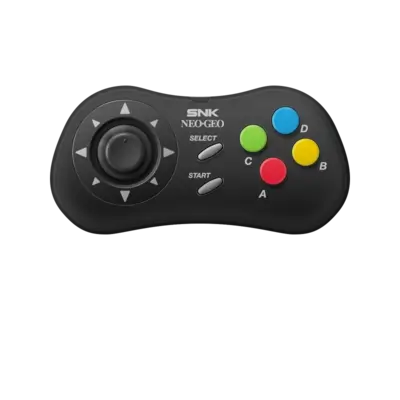
Neo-Geo CD input uses the same overlay as other AES/MVS platforms; view ../images/controller-overlays/neogeo-1.png to confirm mappings.
- When a title refuses to boot, confirm the ZIP/CHD name matches the expected MAME ID and that the chosen BIOS matches the disk version.
- Switch between OpenGL and Vulkan (if supported) via RetroArch’s Quick Menu for compatibility.
- Consult the generic support pages for additional help.
Troubleshooting
- If a game fails to start, ensure the ZIP/CHD name matches the expected MAME ID and that the BIOS selection matches that release.
- Toggle between OpenGL and Vulkan through RetroArch’s Quick Menu when a renderer refuses to cooperate.
- See the generic support pages if further assistance is needed.
- When a title refuses to boot, confirm the ZIP/CHD name matches the expected MAME ID and that the chosen BIOS matches the disk version.
- Switch between OpenGL and Vulkan (if supported) via RetroArch’s Quick Menu for compatibility.
- Consult the generic support pages for additional help.