Nintendo Entertainment System

Overview
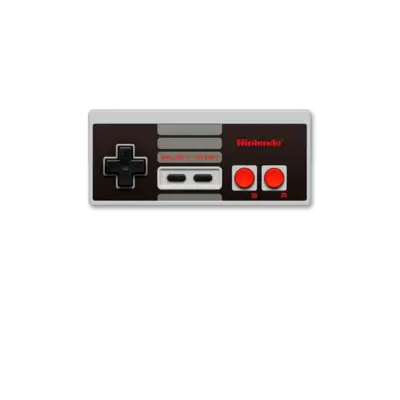
The NES (Famicom in Japan) launched in 1983/1985 and delivered a cartridge-driven 8-bit lineup plus the now-classic controller form factor that ignited the modern console market.
Quick reference
- ROM folder:
/userdata/roms/nes - Accepted formats:
.nes,.unif,.unf,.zip,.7z - Emulators:
libretro: fceumm,libretro: nestopia,libretro: mesen, standalonemesen - System group:
nes
Technical specifications
- CPU: Ricoh 2A03 (NTSC) / 2A07 (PAL), a MOS Technology 6502-derived core clocked at 1.79 MHz (NTSC) or 1.66 MHz (PAL).
- Memory: 2 KB internal RAM plus mapper-backed expansion per cartridge.
- Display: 256×240 resolution with a 48-color palette and 64 sprites, matching CRT scanlines.
- Sound: Integrated APU with two pulse waves, one triangle wave, one noise channel and optional DPCM support.
Supported ROM extensions
nes, unif, unf, zip, 7z
ROMs
Place .nes cartridge dumps into /userdata/roms/nes. Famicom Disk System releases are handled separately in /userdata/roms/fds because they rely on .fds files and the emulator’s disk flipping workflow. Zip archives remain acceptable, but extract them if a ROM refuses to load.
Emulators
libretro: fceumm
FCEUMM is the libretro-maintained successor to FCE Ultra. Shared toggles (nes.rewind, nes.autosave, nes.use_guns, nes.netplay, nes.cheevos) control rewinding, auto saves, lightgun handling and achievements. Remove the sprite limit via nes.fceumm_nospritelimit, crop overscan with nes.fceumm_cropoverscan, and choose from the bundled palette/filter collection.
libretro: nestopia
Nestopia Undead Edition is also included for high-accuracy runs. It retains the base nes.* controls (nes.rewind, nes.autosave, nes.use_guns) and layers on nes.nestopia_* filters, palette choices, and optional overclocking. Switch nes.nestopia_select_adapter when a title needs a 4-player or paddle accessory.
libretro: mesen
Mesen boasts full mapper coverage and a modern UI. It offers region selection (global.mesen_region), palette choices (global.mesen_palette), NTSC filters (global.mesen_ntsc_filter), sprite-limit removal (global.mesen_nospritelimit), HD pack loading (global.mesen_hdpacks), and FDS helpers like global.mesen_fdsautoinsertdisk / global.mesen_fdsfastforwardload. Only enable global.mesen_overclock when you need extra speed, as it can destabilize some titles.
Separation of NES and Famicom
By default REG-Linux exposes distinct system entries for NES (/userdata/roms/nes) and Famicom Disk System (/userdata/roms/fds). If you want both in EmulationStation at the same time, drop a custom es_systems_famicom.cfg (as shown in the old instructions) under /userdata/system/configs/emulationstation/, then adjust theme coordinates to show the desired artwork.
Controls
See ../images/controller-overlays/nes.png for the default overlay, including the Zapper, standard controller and Four Score mappings used on the system.
Troubleshooting
- When a title refuses to boot, switch cores (for example, FBAlpha versus Mesen) or unzip the ROM and try again.
- Famicom Disk System releases expect a disk flip (screens beginning with
B); use[L1]to simulate the side change. - The generic support pages cover most problems that persist after these steps.