Neo-Geo Pocket

Overview
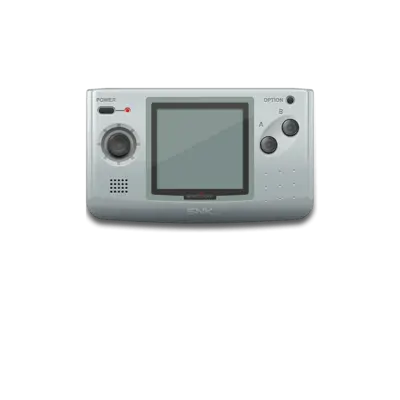
SNK launched the monochrome Neo-Geo Pocket in 1998 as a precursor to the Color handheld, bringing simplified arcade titles to a portable form factor.
Quick reference
- ROM folder:
/userdata/roms/ngp - Accepted formats:
.ngp,.zip,.7z - Emulator:
libretro: mednafen_ngp - System group:
ngp
Technical specifications
- CPU: Toshiba TLCS-900H at 6.144 MHz with a Zilog Z80 at 3.072 MHz for audio duties.
- Memory: 12 KB main RAM, 4 KB for the audio chip, 64 KB ROM for the system.
- Display: 2.7-inch reflective 160×152 LCD with 4,096 palette entries.
- Sound: T6W28 PSG with 6-bit DACs for stereo playback.
Supported ROM extensions
ngp, zip, 7z
BIOS
No external BIOS files are required for Neo-Geo Pocket emulation.
ROMs
Keep .ngp files inside /userdata/roms/ngp. If you prefer to keep ROMs zipped, make sure each archive wraps exactly one .ngp file that matches the base filename.
Emulators
RetroArch
The libretro: mednafen_ngp core (Beetle NeoPop) supports the Neo-Geo Pocket. Open the Quick Menu ([HOTKEY] + south face button) to tweak video options, controller mappings and audio latency per title.
Shared options
- The core exposes
ngp.videomode,ngp.ratio,ngp.smooth,ngp.shaders,ngp.pixel_perfect,ngp.decoration, andngp.game_translation. - Use
ngp.gfxbackendto choose between OpenGL or Vulkan, adjustngp.audio_latencyfor lag, and togglengp.video_threadedwhen you need threaded rendering.
Controls
Use ../images/controller-overlays/ngp_controller_mapping.png to understand how the REG-Linux Retropad maps to the Neo-Geo Pocket buttons and menu controls.
Troubleshooting
If you hit a snag, double-check that the ROM name matches the archive and that the emulator is using the latest libretro: mednafen_ngp core. The generic support pages offer additional guidance.