Neo-Geo Pocket Color
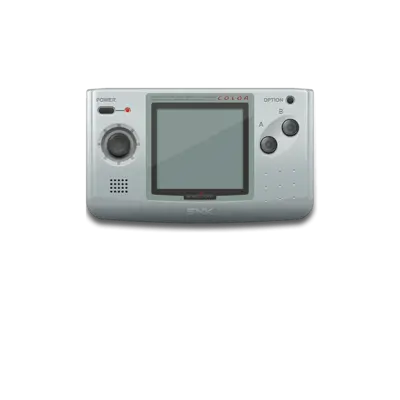

Overview
SNK’s Neo-Geo Pocket Color (NGPC) arrived in 1999 with a 16-bit color screen and similar library to the earlier monochrome Pocket.
Quick reference
- ROM folder:
/userdata/roms/ngpc - Accepted formats:
.ngc,.zip,.7z - Emulator:
libretro: mednafen_ngp - System group:
ngpc
Technical specifications
- CPU: Toshiba TLCS-900H main core at 6.144 MHz with a Zilog Z80 sound co-processor at 3.072 MHz.
- Memory: 12 KB main RAM, 4 KB audio RAM, and 64 KB ROM available to each title.
- Display: 2.7-inch 160×152 LCD showing up to 146 colors on-screen.
- Sound: T6W28 (enhanced SN76489) PSG with 6-bit DAC outputs for stereo audio.
Supported ROM extensions
ngc, zip, 7z
BIOS
No BIOS files are required for Neo-Geo Pocket Color emulation.
ROMs
Store .ngc dumps under /userdata/roms/ngpc. You can also keep them zipped, but each archive must bundle exactly one .ngc and match the base filename.
Emulators
RetroArch
The libretro: mednafen_ngp core (Beetle NeoPop) powers the Neo-Geo Pocket Color experience. Open the Quick Menu ([HOTKEY] + south face button) to adjust video filters, audio latency, and controller bindings.
Shared options
- The core exposes
ngpc.videomode,ngpc.ratio,ngpc.smooth,ngpc.shaders,ngpc.pixel_perfect,ngpc.decoration, andngpc.game_translation. - Adjust
ngpc.audio_latencyto tune buffering, togglengpc.video_threadedfor threaded rendering, and setngpc.gfxbackendto OpenGL or Vulkan.
Controls
The overlay at ngp_controller_mapping.png shows how the REG-Linux Retropad covers the D-pad, buttons and stylus shortcut used by the NGPC.
Troubleshooting
If you encounter issues, verify the ROM filename matches the expected archive and that the core is up to date. Consult the generic support pages for additional guidance.