PC-8800
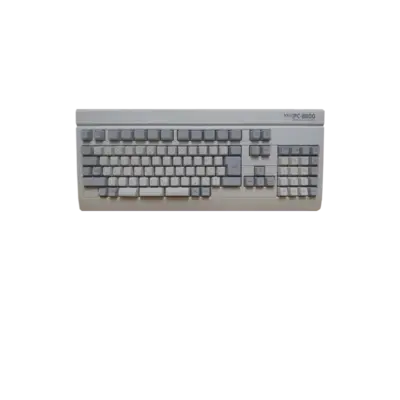

Overview
NEC’s PC-8800 line (PC-88) debuted in 1981 and became one of Japan’s most prolific microcomputers. Adventures, shooters and visual novels leaned heavily on its FM sound hardware and tens of thousands of titles were released for the platform. REG-Linux keeps the pc88 system group separate so artwork and metadata stay focused.
Quick reference
- ROM folder:
/userdata/roms/pc88 - Accepted formats:
.d88,.u88,.m3u - Emulator:
libretro: quasi88via RetroArch - System group:
pc88
Technical specifications
- CPU: Zilog Z80A at 4 MHz with dedicated I/O for keyboard/disk control.
- Memory: 64 KB RAM on board, expandable with NEC memory boards plus a 32 KB ROM for BASIC.
- Display: µPD7220-style graphics capable of 640×400 pixels and eight hardware colors with drawing primitives.
- Sound: Yamaha YM2203 chipset with three FM channels plus three PSG channels for music and effects.
ROMs
Place disk images (.d88 or .u88) and .m3u playlists in /userdata/roms/pc88. RetroArch/QUASI88 scans this directory to populate the gamelist; keep the files zipped unless a game refuses to boot.
BIOS
QUASI88 requires a full set of BIOS ROMs located in /userdata/bios/quasi88/. The core checks for the following filenames (MD5s given for reference) to emulate the correct PC model:
| Checksum | Filename | Description |
|---|---|---|
4f984e04a99d56c4cfe36115415d6eb8 |
N88.ROM |
ROM 0 |
793f86784e5608352a5d7f03f03e0858 |
N88SUB.ROM |
ROM 1 |
2ff07b8769367321128e03924af668a0 |
N88N.ROM |
ROM 2 |
d675a2ca186c6efcd6277b835de4c7e5 |
N88EXT0.ROM |
ROM 3 |
e844534dfe5744b381444dbe61ef1b66 |
N88EXT1.ROM |
ROM 4 |
6548fa45061274dee1ea8ae1e9e93910 |
N88EXT2.ROM |
ROM 5 |
fc4b76a402ba501e6ba6de4b3e8b4273 |
N88EXT3.ROM |
ROM 6 |
Emulators
RetroArch
RetroArch launches libretro: quasi88. The Quick Menu ([HOTKEY] + south button) offers master controls for shaders/overrides, and EmulationStation exposes options such as pc88.gfxbackend, pc88.audio_latency and pc88.video_threaded.
libretro: quasi88
QUASI88 is the strategy-accurate port that uses the BIOS files above. Notable core settings:
global.q88_basic_mode: picks between the N88 BASIC variants.global.q88_cpu_clock: lets you underclock (1/2 MHz) or overclock up to 64 MHz for developer experiments.global.q88_pcg-8100: enables the optional character generator when a title requires it.
Controls
The default overlay in ../images/controller-overlays/pc88.png shows the keyboard matrix so you can press the emulated keys without a real PC-88 board.
Troubleshooting
- Verify the BIOS ROM set is complete and placed under
/userdata/bios/quasi88/. - If a disk image fails to start, extract the archive and try the raw
.d88/.u88file. - Consult the generic support pages for additional assistance.