PC-9800
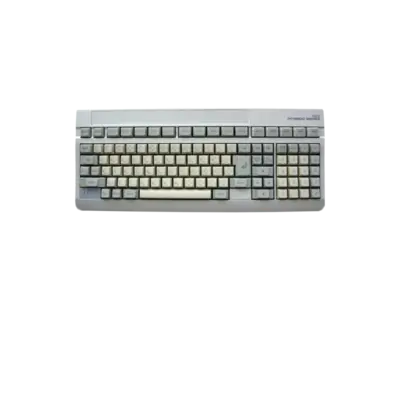

Overview
NEC’s PC-9800 series launched in 1982 and became Japan’s staple 16/32-bit home computer, spawning a massive library of visual novels, shmups and PC-exclusive adventures. REG-Linux maps the platform to pc98 so metadata and theme packs can highlight the correct imagery.
Quick reference
- ROM folder:
/userdata/roms/pc98 - Accepted formats:
.d98,.zip,.98d,.fdi,.fdd,.2hd,.tfd,.d88,.88d,.hdm,.xdf,.dup,.cmd,.hdi,.thd,.nhd,.hdd,.hdn,.m3u - Emulator:
libretro: np2kai - System group:
pc98
Technical specifications
- CPU: NEC V20/V30 family (8086/80186 compatible) running between 5 and 10 MHz, depending on the model.
- Memory: Starts at 256 KB and scales to 640 KB plus optional expansion boards with several megabytes of RAM.
- Display: Dual NEC µPD7220 video chips enabling 640×400 color modes or 1024×1024 monochrome with high-resolution text.
- Sound: Yamaha YM2203 with later models adding mu-law PCM chips for richer audio and music.
BIOS
Copy the following BIOS assets into /userdata/bios/np2kai/ before launching games. np2kai reads them to match the emulated hardware:
| MD5 checksum | Filename | Notes |
|---|---|---|
e246140dec5124c5e404869a84caefce |
BIOS.ROM |
Core PC-98 BIOS |
2af6179d7de4893ea0b705c00e9a98d6 |
FONT.ROM |
Optional font ROM |
caf90f22197aed6f14c471c21e64658d |
SOUND.ROM |
Legacy sound ROM |
e9fc3890963b12cf15d0a2eea5815b72 |
ITF.ROM |
International font ROM |
7da1e5b7c482d4108d22a5b09631d967 |
font.bmp |
Raster font bitmap |
Drop additional assets (PC-9821 BIOS, YM2608 waveforms, etc.) into the same folder and np2kai will load them automatically.
ROMs
Put all PC-98 disk and hard-drive images inside /userdata/roms/pc98. Hard-drive images (.hdi, .hdm, .nhd, .2hd, etc.) are usually the easiest to boot; they contain a preconfigured system. Floppy-based releases (.fdi, .d98, .d88, etc.) can stay in the same directory—np2kai prompts for each disk as needed. For raw CDs, convert the contents into a hard-drive image before playing.
Emulators
RetroArch
RetroArch hosts the libretro: np2kai core. Use [HOTKEY] + the south face button to open the Quick Menu for shaders, overrides and controller bindings. EmulationStation exposes common options such as pc98.gfxbackend, pc98.audio_latency and pc98.video_threaded.
libretro: np2kai
np2kai lets you tune the emulated machine via:
global.np2kai_model: choose between modern PC-286/PC-9801 variants.global.np2kai_cpu_feature: pick from 386 through Pentium-class processors.global.np2kai_clk_mult: adjust the internal multiplier (6x recommended, but lower values help older software).global.np2kai_ExMemory: add up to 1 GB of RAM for RAM-intensive titles.global.np2kai_gdc: switch between uPD7220/uPD72020 Graphics Display Controllers.global.np2kai_skipline: remove scanlines when desired.global.np2kai_realpal: enable the real palette required by a handful of games (e.g., Apro).global.np2kai_SNDboard: match the original audio board (PC9801-14, PC9801-86, Sound Blaster 16, etc.).global.np2kai_jast_snd: activate richer JAST sound formats.global.np2kai_joymode: map joystick buttons to keyboard input when needed.
GDC clock notes
If a title displays duplicated or flickering text, enter the BIOS menu (hold [End] during boot or [HOTKEY] + east to reopen), navigate to Dip Switch 2 (ディップスイッチ2), and set the GDC clock to 2.5 MHz; many compatibility issues disappear when the correct clock is selected.
Controls
The overlay at ../images/controller-overlays/pc98.png mirrors the PC-98 keyboard layout so you can trigger shortcuts and function keys directly from the controller.
Troubleshooting
- Make sure every BIOS file lives in
/userdata/bios/np2kai/with the correct filenames. - If a game refuses to boot, try a different image type (hard drive vs floppy) or reduce the CPU multiplier.
- Visit the generic support pages for broader assistance.