PC Engine

Overview
NEC’s PC Engine (TurboGrafx-16 in North America) arrived in 1987 with a compact design that combined an 8-bit CPU and 16-bit graphics chips. It delivered bright palettes, lots of sprites, and a first-of-its-kind CD-ROM add-on. REG-Linux keeps the pcengine system separate from pcenginecd so the right metadata and artwork are used.
Quick reference
- ROM folder:
/userdata/roms/pcengine - Accepted formats:
.pce,.bin,.zip,.7z - Emulators:
libretro: pce,libretro: pce_fast - System group:
pcengine
Technical specifications
- CPU: HuC6280 running at 7.16 MHz (1.79 MHz in low-power mode) with a flexible memory mapper.
- Memory: 8 KB work RAM plus 64 KB of video RAM that feeds the HuC6270 video chip.
- Display: 256×239 resolution with 482 colors per scanline and hardware scrolling/sprite layers.
- Sound: Six-channel PSG with DAC support for richer samples.
BIOS
Keep bios/syscard3.pce inside /userdata/bios/ for Super CD-ROM² compatibility; the same file is reused by the CD system and populates the BIOS picker when loading discs. Additional syscard files are optional but can break some titles, so reserve the Super CD-ROM² BIOS unless a specific game calls for another version.
ROMs
Extract .pce images into /userdata/roms/pcengine. Zip or 7z archives may work but unzip them if a title refuses to start. Always keep TurboGrafx-16/PC Engine cartridges in this folder and reserve /userdata/roms/pcenginecd for the CD lineup.
Emulators
RetroArch
RetroArch is the host for the PC Engine cores. Use [HOTKEY] + the south button to open the Quick Menu for shader tweaks, overrides and controller remaps. EmulationStation exposes pcengine.videomode, pcengine.ratio, pcengine.smooth, pcengine.shaders, pcengine.pixel_perfect, pcengine.decoration, pcengine.game_translation, as well as the backend selectors pcengine.gfxbackend, pcengine.audio_latency and pcengine.video_threaded.
libretro: pce / pce_fast
Both cores emulate standard PC Engine hardware; pce_fast is tuned for lower-powered devices while keeping the same control set.
Key settings:
global.pce_nospritelimit: lift the hardware sprite cap.global.controller1_pce: choose joypad or mouse emulation.
Controls
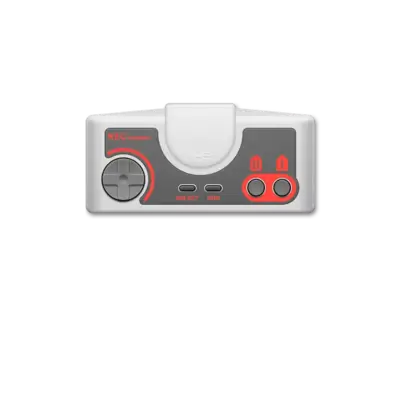
PC Engine pads map to the overlay in ../images/controller-overlays/pcengine-1.png. Use it to match the D-pad, turbo buttons and extra inputs to your controller.
Troubleshooting
- Swap between
libretro: pceandlibretro: pce_fastif a game slows down. - If a title refuses to load, unzip the ROM before launching.
- For general assistance consult the generic support pages.