PC Engine CD

Overview
The PC Engine CD-ROM² add-on (TurboGrafx-CD in the West) transformed NEC’s compact console into a CD-based powerhouse with built-in audio streaming and FMV support. Later TurboDuo releases integrated the drive so no additional module was required. REG-Linux maps this hardware to the pcenginecd group to keep metadata/artwork synchronized.
Quick reference
- ROM folder:
/userdata/roms/pcenginecd - Accepted formats:
.pce,.cue,.ccd,.iso,.img,.chd - Emulators:
libretro: pce,libretro: pce_fast - System group:
pcenginecd
Technical specifications
- CPU: HuC6280 at 7.16 MHz with a dedicated CD controller on top of the cartridge bus.
- Memory: 8 KB work RAM, 64 KB VRAM and extra CD buffer RAM for streaming sectors.
- Display: HuC6270 video chip driving 256×239 and extra sprites suitable for the turbo engine’s graphics.
- Sound: Six-channel PSG plus CD-DA and PCM streaming for high-fidelity audio.
BIOS
Super CD-ROM² and CD-ROM² releases depend on bios/syscard3.pce. Place this file inside /userdata/bios/ before launching the core. Additional BIOS files such as syscard1.pce, syscard2.pce or gexpress.pce may exist but can cause compatibility differences, so stick with the Super CD-ROM² bin by default.
| Checksum | Filename | Purpose |
|---|---|---|
38179df8f4ac870017db21ebcbf53114 |
syscard3.pce |
Super CD-ROM² system BIOS |
ROMs
Copy each CD-ROM² release into /userdata/roms/pcenginecd. Use cue-based archives so the track layout remains intact, and keep the .cue beside the .bin/.iso. CHD containers are strongly encouraged because they bundle the cue data and compress the disc image efficiently.
Emulators
RetroArch
RetroArch runs both the libretro: pce and libretro: pce_fast cores. Open the Quick Menu ([HOTKEY] + south button) to tweak shaders, overrides or controller bindings. EmulationStation also exposes pcenginecd.videomode, pcenginecd.ratio, pcenginecd.smooth, pcenginecd.shaders, pcenginecd.pixel_perfect, pcenginecd.decoration, pcenginecd.game_translation, and the usual backend/latency (pcenginecd.gfxbackend, pcenginecd.audio_latency, pcenginecd.video_threaded) options.
libretro: pce / pce_fast
The vanilla pce core targets compatibility, while pce_fast trims options for weaker hardware. Both share:
global.pce_nospritelimit– lift the 16-sprites-per-line cap.global.controller1_pce– pick between gamepad or optional mouse support.
Controls
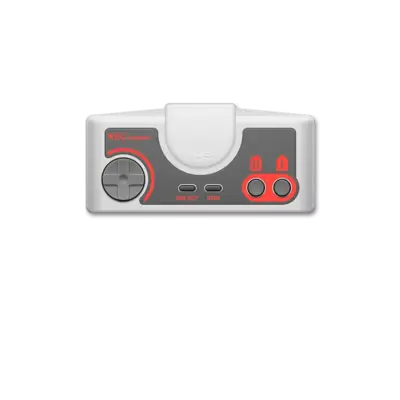
Refer to the PC Engine overlay at ../images/controller-overlays/pcengine-1.png. It shows the standard gamepad layout used by REG-Linux.
Troubleshooting
- Ensure your
.cuereferences the.bin/.isoin the same directory. - If a game stutters, toggle between
libretro: pceandlibretro: pce_fastto see which core performs better. - For general issues consult the generic support pages.