PC-FX

Overview
NEC released the PC-FX in 1994 as a polygon-free fifth-generation console aimed at anime-style FMV and visual novels. Its tower-like case borrowed PC conventions, and the machine leaned on pre-rendered sprites rather than polygons.
Quick reference
- ROM folder:
/userdata/roms/pcfx - Accepted formats:
.cue,.ccd,.toc,.chd,.zip,.7z - Emulator:
libretro: pcfx - System group:
pcfx
Technical specifications
- CPU: NEC V810 32-bit RISC processor running at roughly 20–21 MHz.
- Memory: 2 MB main RAM with an additional 2 MB video RAM bank dedicated to sprite/tile buffers.
- Display: Custom video pipeline delivering interlaced 640×480 output with 24-bit colors, scaling and sprite effects.
- Sound: Yamaha YMF292 (OPL4) with FM and PCM channels plus stereo DAC output.
BIOS
The single BIOS file bios/pcfx.rom is mandatory. Store it in /userdata/bios/ before running any game. The checksum 08e36edbea28a017f79f8d4f7ff9b6d7 identifies the standard BIOS image used across REG-Linux builds.
ROMs
Put PC-FX disc images in /userdata/roms/pcfx. CHD containers are preferred because they bundle cue metadata; keep the .cue/.ccd descriptor next to the .iso/.bin if you are not using CHD.
Emulators
RetroArch
RetroArch runs the libretro: pcfx core. Open the Quick Menu ([HOTKEY] + south face button) for shader tweaks, overrides, and controller options. REG-Linux exposes pcfx.videomode, pcfx.ratio, pcfx.smooth, pcfx.shaders, pcfx.pixel_perfect, pcfx.decoration, pcfx.game_translation, as well as backend toggles (pcfx.gfxbackend, pcfx.audio_latency, pcfx.video_threaded) in EmulationStation.
libretro: pcfx
The single libretro core focuses on authenticity. Important options:
global.pcfx_nospritelimit: disable the 16-sprites-per-line hardware cap.
Controls
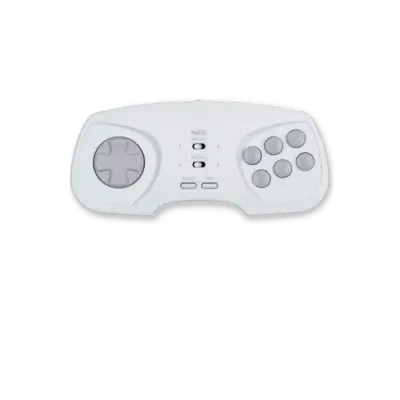
PC-FX pads resemble the Genesis controller with six face buttons. Adjust inputs via the Quick Menu or save a custom remap (/remapping_controls_per_emulator) if you need to remap the six-button layout.
Troubleshooting
- If a disc refuses to boot, make sure the
.cuepoints to the.bin/.isoand try converting the image to CHD. - Consult the generic support pages when you encounter general issues.