PlayStation 2

Overview
Launched in 2000, Sony’s PlayStation 2 became the world’s bestselling console thanks to its DVD playback, strong exclusive lineup, and backwards compatibility with the original PlayStation. REG-Linux associates the hardware with the ps2 metadata group and lets you run discs via PCSX2 or libretro variants.
Technical specifications
- CPU: Sony/Toshiba/IBM Emotion Engine RISC processor at 294 MHz with integrated FPUs.
- Memory: 32 MB of RDRAM working memory plus 4 MB of embedded DRAM in the Graphics Synthesizer.
- Display: Graphics Synthesizer GPU clocked at 147 MHz supporting 640×480 up to 1280×1024 with hardware transform-and-lighting.
- Sound: SPU2 chip offering 48 channels of PCM with Dolby Digital/DTS passthrough.
Quick reference
- ROM folder:
/userdata/roms/ps2 - Accepted formats:
.iso,.mdf,.nrg,.bin,.img,.dump,.gz,.cso,.chd - Emulators: Standalone PCSX2,
libretro: PCSX2,libretro: play - System group:
ps2
BIOS
Modern REG-Linux versions look for the USA BIOS binary. Save ps2-0230a-20080220.bin (MD5 21038400dc633070a78ad53090c53017) inside /userdata/bios/ps2/. Older builds accepted multiple regions, but the tidy folder keeps BIOS files organized for PCSX2 and other cores that share the same firmware.
ROMs
Store every PlayStation 2 disc image in /userdata/roms/ps2. CHD archives are preferred because they keep the cue/meta data while saving disk space; .iso, .bin, and .cso files also work. Avoid zipping the images—copy the raw disc file so PCSX2 can read it directly.
Video & display
Use [SELECT] → Game Aspect Ratio from the system’s advanced options menu to toggle between 4:3 and 16:9 defaults. You can also hold the RetroArch south face button while highlighting a game to set the ratio per title. When using pcsx2-config, visit System → Boot BIOS to adjust the screen size for titles that expose BIOS-level options.
Emulators
PCSX2 (standalone)
PCSX2 is the primary emulator for PS2 games. It requires a Vulkan-capable GPU and a modern x86_64 CPU. Launch pcsx2-config from [F1] → Applications to tweak rendering, hacks and controller presets.
Key settings available through EmulationStation:
ps2.gfxbackend: choose between OpenGL and Vulkan rendering.ps2.internal_resolution: upscales the framebuffer (higher values improve clarity but cost performance).ps2.fullboot: enable the BIOS animation when a game depends on it.ps2.skipdraw: skip problematic surfaces.ps2.micro_vu: enable microVU hacks (safe, balanced, or more aggressive).ps2.EmuCore_EnableWideScreenPatches/ps2.EmuCore_EnablePatches: toggle widescreen and automatic game fixes.ps2.multitap: configure additional controllers through ports 1/2 or both.
If performance suffers, lower the internal resolution, disable hacks, or shift the Emulation Presets slider toward “Balanced” inside the PCSX2 GUI.
RetroArch
RetroArch hosts the libretro PCsX2 and play cores (among community builds). Open the Quick Menu ([HOTKEY] + south face button) to tweak shaders, overrides and controller mapping. EmulationStation surfaces the shared options (ps2.videomode, ps2.ratio, ps2.smooth, ps2.shaders, ps2.pixel_perfect, ps2.decoration, ps2.game_translation) plus backend/latency controls (ps2.gfxbackend, ps2.audio_latency, ps2.video_threaded).
Texture packs
PCSX2 can load high-resolution textures per game. Place texture packs in /userdata/system/configs/PCSX2/textures/<GameCode>/, where <GameCode> matches the disc ID (e.g., SCUS-97399). The emulator automatically applies the textures when the game launches.
Controls
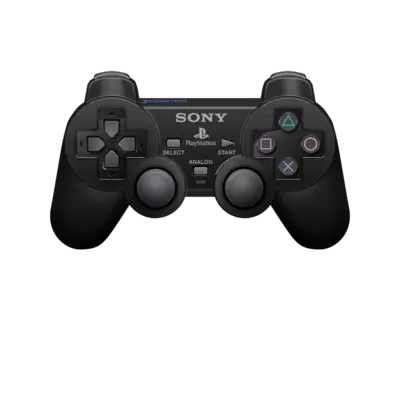
The REG-Linux DualShock overlay at ../images/controller-overlays/psx-1.png reflects the standard PS2 mapping. Adjust the mapping through the controller configuration menus if you prefer a different layout.
Troubleshooting
- Performance: PS2 emulation needs x86_64 hardware and Vulkan. Lower the internal resolution, disable drawing hacks, or fall back to the libretro cores on weaker machines. See the PC performance guide for recommended specs.
- Audio glitches: Switch the audio sync method inside
pcsx2-configto Async Mix rather than None to avoid crackling. - Boot problems: Enable
ps2.fullbootandps2.EmuCore_EnablePatchesso the BIOS animation and automatic fixes run before the game loads. - If you need more help, consult the PCSX2 wiki and the generic support pages.