PlayStation 3

Overview
Introduced in 2006 by Sony, the PlayStation 3 was a console system.
RPCS3 is the experimental PlayStation 3 emulator included with REG-Linux. It only runs on x86_64 chips alongside a Vulkan-compatible GPU and pulls the ps3 metadata group so themes deliver the appropriate art.
Technical specifications
- CPU: Cell Broadband Engine running at 3.2 GHz with one PowerPC PPE and eight Synergistic Processing Elements (seven usable).
- Memory: 256 MB XDR main RAM and 256 MB GDDR3 video RAM shared with the RSX GPU.
- Display: NVIDIA RSX “Reality Synthesizer” GPU clocked at 550 MHz producing 1080p-ready raster graphics.
- Sound: SPU-like digital audio processor with 256 simultaneous audio channels and AAC/MP3 decode acceleration.
Quick reference
- ROM folder:
/userdata/roms/ps3 - Accepted formats:
.psn,.squashfs - Accepted folders: endings in
.ps3 - Emulator: RPCS3
- System group:
ps3
BIOS
Download the official PS3UPDAT.PUP file and place it inside /userdata/bios/. RPCS3 uses that firmware the first time it runs; you can verify the MD5 (a0b63a3e4ae92ed176d6b9a67ce447f0) through the Missing BIOS helper in REG-Linux.
ROMs
Disc-based releases
Each PS3 disc game lives inside /userdata/roms/ps3/<Game>.ps3. The folder must contain the standard PS3_GAME/ structure with PARAM.SFO, ICON0.PNG, etc. The .ps3 suffix tells EmulationStation that this is a PS3 entry.
SquashFS support allows you to compress the folder:
cd /userdata/roms/ps3
mksquashfs "Game.ps3" "Game.squashfs"
RPCS3 treats the .squashfs like a regular folder, saving disk space without losing metadata.
Digital (PSN) releases
- Run
rpcs3-configfrom[F1]→ Applications. - Choose File → Install Packages, Raps, Edats and install the
.pkg(and related.rap,.edat) files. - After installation, right-click the title → Copy Info → Copy Name + Serial and paste the result inside
/userdata/roms/ps3/<Title>.psn. - Populate the
.psntext file with the game ID (e.g.,NPUB30162) and refresh the gamelist. EmulationStation will spot the new entry, and the installed data resides under/userdata/system/configs/rpcs3/dev_hdd0/.
Emulators
RPCS3
RPCS3 is the only PS3 emulator capable of running most retail titles. Use rpcs3-config to tune CPU/SPU decoders, resolution scaling, graphics backend (OpenGL or Vulkan), VSYNC, audio formats, and per-port controllers. Leave the GUI open while configuring, install the firmware once, then restart a game so RPCS3 can compile shaders and modules.
Key options surfaced by REG-Linux include:
ps3.rpcs3_ppudecoder/ps3.rpcs3_spudecoder: pick LLVM, ASMJIT or Interpreter paths.ps3.rpcs3_resolution_scale: raise or lower the render scaling percentage.ps3.rpcs3_gfxbackend: prefer Vulkan when available for accuracy and performance.ps3.rpcs3_vsync: avoid tearing by enabling VSYNC.ps3.rpcs3_audio_format: choose stereo or surround output.ps3.rpcs3_controller1-7: configure controller drivers per port.ps3.rpcs3_gui: toggle the internal GUI for manual disc swaps.
Always launch games from EmulationStation; running them directly in RPCS3 may cause missing audio or input issues.
Controls
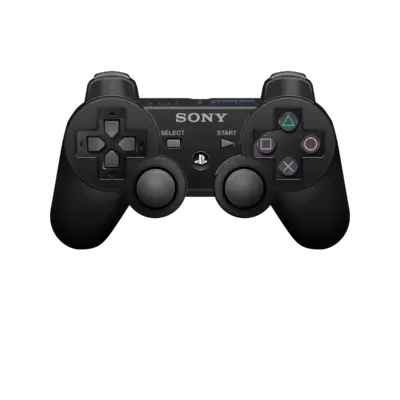
PlayStation 3 titles use the DualShock layout; the overlay at ../images/controller-overlays/psx-1.png shows the default bindings.
Troubleshooting
- Compatibility: Use the RPCS3 compatibility list and wiki when a game crashes.
- Performance: RPCS3 needs a strong CPU (8+ threads) and Vulkan GPU. Lower the resolution or disable CPU-heavy features if your hardware stumbles.
- Initial boots: Enable the BIOS boot animation and turn on Automatic Game Fixes when a title refuses to start. Allow shader compilation time during the first launch.
- Refer to the generic support pages for additional issues.