PlayStation Portable

Overview
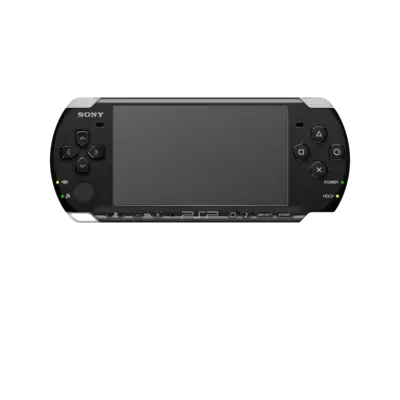
Sony’s PlayStation Portable debuted in 2004 as a handheld capable of running 3D games with a widescreen display. REG-Linux emulates it with PPSSPP (standalone or libretro) and keeps PSP titles under the psp metadata tag.
Technical specifications
- CPU: MIPS R4000-based PSP CPU (Allegrex) at 333 MHz with vector floating-point capabilities.
- Memory: 32 MB (PSP-1000) or 64 MB (PSP-2000+) RAM plus 4 MB VRAM for the GPU.
- Display: 4.3-inch 16:9 TFT LCD at 480×272 pixels with 16.77 million colors.
- Sound: Stereo output via two DACs with digital signal processing and headphone jack.
Quick reference
- ROM folder:
/userdata/roms/psp - Accepted formats:
.iso,.cso,.pbp,.chd - Emulators:
ppssppstandalone,libretro: ppsspp - System group:
psp
Technical specifications
- CPU: MIPS R4000-based Allegrex at 333 MHz with vector FPUs.
- Memory: 32 MB RAM on early models, 64 MB on later handhelds plus 4 MB VRAM.
- Display: 4.3-inch 480×272 16:9 TFT panel with 16.7M colors.
- Sound: Stereo DACs with programmable digital signal processing.
ROMs
Place PSP images inside /userdata/roms/psp. CHD archives are preferred because they include cue data and save disk space, but .iso, .cso, and .pbp files work equally well—just keep them named so PPSSPP can detect them.
Saves and DLC
- PPSSPP standalone saves:
/userdata/system/configs/ppsspp/PSP/SAVEDATA/ - libretro PPSSPP saves:
/userdata/saves/psp/PSP/SAVEDATA/ - DLC content:
/userdata/saves/psp/PSP/GAME/
Emulators
PPSSPP standalone
PPSSPP is a high-performance PSP emulator that exposes resolution scaling, texture upscaling, and anisotropic filtering. Use [HOTKEY] + south face button for the Quick Menu or open the standalone UI for full control.
Highlights:
psp.gfxbackend: choose OpenGL or Vulkan (preferred for modern hardware).psp.internal_resolution: upscale the virtual framebuffer.psp.texture_scaling_level/typeandpsp.texture_deposterize: apply HD texture replacements.psp.frameskip/psp.vsyncinterval: manage smoothness vs performance.psp.enable_cheats: load custom cheat codes.
RetroArch / libretro: PPSSPP
The libretro port shares the same Quick Menu but runs inside RetroArch. It exposes the usual psp.videomode, psp.ratio, psp.smooth, psp.shaders, psp.pixel_perfect, psp.decoration, and psp.game_translation, plus the standard backend selectors for graphics, audio latency, and threaded video.
RetroAchievements
RetroAchievements are supported with libretro: PPSSPP when launching .iso images (compressed .cso files are not supported by this core).
PSP texture and font support
- Launch a game and save once to create
/userdata/saves/psp/PSP/TEXTURES/<TITLE>/. - Enable texture dumping (
Settings → Tools → Developer Tools → Texture Replacement), run briefly, then disable Save new textures while leaving Replace textures active. - Replace the dumped textures in
/userdata/saves/psp/PSP/TEXTURES/<TITLE>/new/with HD packs.
In REG-Linux v39+, the cache moved to /userdata/system/configs/ppsspp/PSP/TEXTURES/; adjust paths if needed. If a game looks wrong due to missing fonts, copy ltn*.pgf, jpn0.pgf, and krn0.pgf from /usr/share/ppsspp/PPSSPP/flash0/font into the same directory and run REG-Linux-save-overlay.
If libretro: PPSSPP complains about missing fonts, either symlink or copy the /usr/share/ppsspp/PPSSPP directory into /userdata/bios/.
Controls
Default PSP controls reuse the DualShock-style overlay at ../images/controller-overlays/psp-1.png, including the virtual right stick. Create custom remaps when a title requires it through the controller remapping guide.
Troubleshooting
- Use the generic support pages or the PPSSPP wiki for detailed help.
- Ensure textures/fonts are placed correctly before forcing replacements.