PlayStation
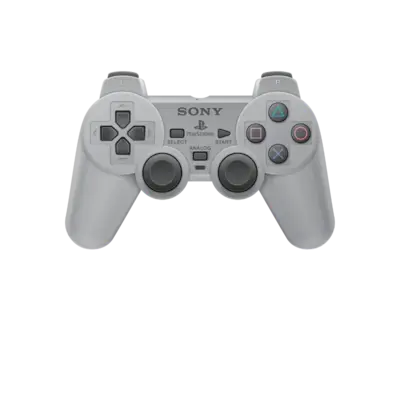

Overview
Sony launched the original PlayStation in 1994, popularizing CD-based gaming. REG-Linux groups PS1/PSX titles under the psx metadata tag and presents them through DuckStation, SwanStation, PCSX ReARMed, Mednafen_PSX or the libretro PPSSPP builds when appropriate.
Technical specifications
- CPU: MIPS R3000A-compatible 32-bit RISC processor running at 33.8688 MHz.
- Memory: 2 MB main RAM, 1 MB VRAM for graphics, 512 KB cache, and 512 KB sound RAM.
- Display: GPU capable of 640×480 (NTSC) resolution with 16.7 million color palette and polygon throughput.
- Sound: SPU with 24 channels of ADPCM PCM audio supporting MIDI-style sequencing.
Quick reference
- ROM folder:
/userdata/roms/psx - Accepted formats:
.cue,.bin,.img,.iso,.pbp,.ccd,.chd,.m3u,.mdf - BIOS: optional (e.g.,
psxonpsp660.bin) but improves compatibility - Emulators: DuckStation,
libretro: pcsx_rearmed,libretro: swanstation,libretro: mednafen_psx - System group:
psx
BIOS
Official BIOS files are optional but recommended. The region-free PSP-derived psxonpsp660.bin (MD5 c53ca5908936d412331790f4426c6c33) works for most games. Additional BIOS files such as scph101, scph1001, scph5500/1/2, and scph7001 live inside /userdata/bios/ when needed.
ROMs
Keep .cue/.bin pairs together in /userdata/roms/psx; launching the .cue ensures the disc layout loads properly. CHD archives contain both the cue and data tracks, making them a modern preferred format. .iso, .img, .pbp, and .mdf dumps are supported; avoid zipping them. Multi-disc titles benefit from .m3u playlists listing each disc, or use RetroArch’s Quick Menu Disc Control to swap manually.
For PAL releases with copy protection, add an .sbi subchannel file next to the .cue/.bin and keep the BIOS animation enabled so DuckStation can read the protected sectors.
Emulators
DuckStation
DuckStation is the baseline standalone emulator with a focus on accuracy and stability. Use the Quick Menu or launcher config to adjust graphics API (psx.gfxbackend), internal resolution, anti-aliasing, frame skipping, VSync, and boot logo/copy protection settings.
libretro / RetroArch builds
DuckStation’s libretro ports (libretro: swanstation) and alternatives such as libretro: pcsx_rearmed or libretro: mednafen_psx run inside RetroArch. They expose similar options through the Quick Menu, and PCSX ReARMed provides quick access to PSX patches and frame skip toggles.
Controls
The overlay at ../images/controller-overlays/psx-1.png maps the DualShock layout. Use /remapping_controls_per_emulator to customize button assignments or set up GunCon/mouse input as needed.
Troubleshooting
- Crashes or audio issues in DuckStation: Enable VSync or reduce the render scale. Toggle
SHOW BIOS BOOTLOGOwhen dealing with protected PAL discs. - PCSX ReARMed resets: Launch
[F1]→ Applications →pcsx_rearmed_config, slide the preset to “Balanced (3)” and apply. - PAL copy protection: Provide an
.sbifile and show the BIOS animation. - For general help consult the generic support pages.