Saturn

Overview
The Sega Saturn (1994) is a fifth-generation console built around dual Hitachi SH-2 processors and dedicated 2D/3D video chips. REG-Linux flags it as saturn so you can browse a dedicated system list with its own artwork.
Technical specifications
- CPU: Dual Hitachi SH-2 32-bit RISC processors at 28.6 MHz working in tandem.
- Memory: 2 MB main RAM, 1.5 MB video RAM, 512 KB sound RAM and 1 MB system ROM cache.
- Display: VDP1/VDP2 subsystems delivering 2D/3D rasters up to 640×480 with 16.7 million colors and hardware texture mapping.
- Sound: Yamaha YMF292-F with 32-bit PCM (up to 32 channels) and ADPCM playback with stereo outputs.
Quick reference
- ROM folder:
/userdata/roms/saturn - Accepted formats:
.cue,.ccd,.m3u,.chd,.iso,.zip - Emulators:
libretro: beetle-saturn,libretro: kronos,libretro: yabasanshiro - System group:
saturn
BIOS
Copy one of the official Saturn BIOS dumps into /userdata/bios/ so the cores can boot the discs.
| MD5 checksum | Filename | Description |
|---|---|---|
85ec9ca47d8f6807718151cbcca8b964 |
sega_101.bin |
Standard BIOS |
3240872c70984b6cbfda1586cab68dbe |
mpr-17933.bin |
Japan |
255113ba943c92a54facd25a10fd780c |
mpr-18811-mx.ic1 |
South America |
1cd19988d1d72a3e7caa0b73234c96b4 |
mpr-19367-mx.ic1 |
Europe |
af5828fdff51384f99b3c4926be27762 |
saturn_bios.bin |
Alternate BIOS |
ROMs
Store each Saturn disc image in /userdata/roms/saturn. CHD archives are preferred because they bundle cue information. For multi-disc games, .m3u playlists or manual disc swaps via the Quick Menu keep progress smooth.
Disc swaps with yabasanshiro
libretro: yabasanshiro lacks automatic disc control. When switching discs, rename the .sav file to match the disc you’re loading, then manually select the next disc in the Quick Menu.
Emulators
RetroArch hosts the Saturn cores and exposes standard shared options such as saturn.videomode, saturn.ratio, saturn.smooth, saturn.shaders, saturn.pixel_perfect, saturn.decoration, saturn.game_translation, saturn.gfxbackend, saturn.audio_latency, and saturn.video_threaded.
libretro: yabasanshiro
Yabasanshiro adds dedicated settings:
global.resolution_mode: scale the internal buffer to 1x/2x/4x/720p/1080p/4K.global.multitap_yabasanshiro: enable additional controller ports for multiplayer.
Other cores
beetle-saturn and kronos are also available; treat them similarly via the RetroArch Quick Menu for shader/input overrides.
Controls
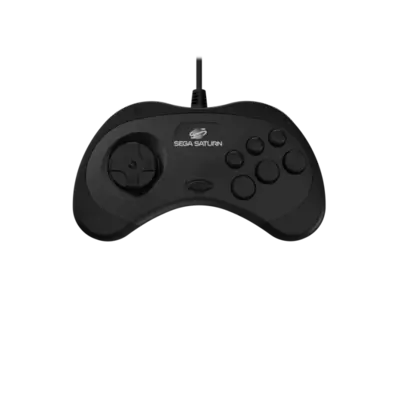
Update the Quick Menu’s Port 1 configuration to match the physical Saturn pad (see ../images/controller-overlays/saturn-1.png). Use manual remaps if the official layout needs adjustments.
Troubleshooting
- Match the BIOS file to the region of the disc you’re loading.
- Handle manual disc swaps carefully with
yabasanshiro, and rename saves if the emulator doesn’t pick the next disc automatically. - Visit the generic support pages for general Saturn/MAME guidance.