32x

Overview
The Sega 32X is an add-on for the Mega Drive/Genesis that equips the console with dual SH-2 processors and pixel-rich layers. REG-Linux tracks the sega32x metadata set so themes can show the unique branding while still optionally grouping titles alongside the base Mega Drive listing.
Technical specifications
- CPU: Dual Hitachi SH-2 32-bit RISC cores running at 23 MHz alongside the Genesis 68000.
- Memory: 256 KB general RAM, 256 KB video RAM, and 128 KB ROM for firmware.
- Display: 32-bit color rendering with two extra sprite layers on top of the Genesis video output, plus hardware scaling/rotation.
- Sound: Genesis YM2612 FM and SN76489 PSG chips with supplementary PCM support from the 32X hardware.
Quick reference
- ROM folder:
/userdata/roms/sega32x(can be grouped with Mega Drive if preferred) - Accepted formats:
.32x,.smd,.bin,.md,.zip,.7z - Emulator:
libretro: picodrive - System group:
sega32x,megadrive
Technical specifications
- CPU: Dual Hitachi SH-2 RISC chips clocked at 23 MHz working alongside the Genesis 68000.
- Memory: 256 KB general RAM, 256 KB video RAM, 128 KB firmware ROM.
- Display: 32-bit color layers with additional sprite hardware plus scaling/rotation assistance.
- Sound: Genesis YM2612/SN76489 audio augmented by 32X PCM pathways.
Emulators
RetroArch / PicoDrive
libretro: picodrive is the go-to core for running 32X games. It exposes the usual Quick Menu and supports options such as global.picodrive_sprlim (sprite limit removal), global.picodrive_cropoverscan (hide borders), and per-port controller entries (global.picodrive_controller1/2). Use [HOTKEY] + south face button or EmulationStation’s advanced options to configure the backend (sega32x.gfxbackend), audio latency (sega32x.audio_latency), and threaded video (sega32x.video_threaded).
ROMs
Drop each 32X title into /userdata/roms/sega32x. You can keep them in /userdata/roms/megadrive as well, but keeping a separate folder simplifies browsing. The core reads .32x, .smd, .bin, .md files, so avoid double-compressing them inside .zip/.7z.
Controls
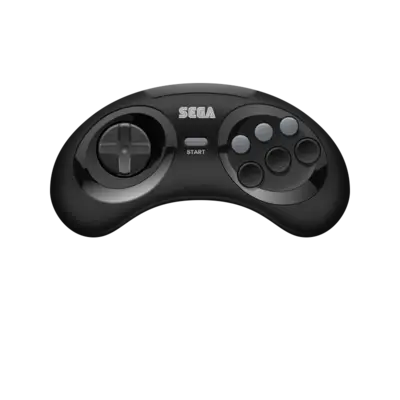
The default launchpad uses the Mega Drive overlay (../images/controller-overlays/megadrive-1.png). Save a remap if you need to add extra buttons or switch players.
Troubleshooting
- If a game fails to boot, verify the extension is supported and the ROM isn’t corrupted.
- Switch between
picodriveandgenesisplusgx(if available) when a title shows graphical glitches.