Sega CD

Overview
The Sega CD (Mega CD outside North America) is the CD-ROM add-on for the Genesis/Mega Drive, introducing FMV, CD audio and larger sprites. REG-Linux treats it as the segacd system so that the appropriate themed artwork appears while allowing you to keep the files near your main Mega Drive/Genesis collection.
Technical specifications
- CPU: Motorola 68000 clocked at 12.5 MHz with a dedicated co-processor for CD-ROM streaming.
- Memory: 512 KB main RAM, 512 KB video RAM, 256 KB audio RAM, plus buffers for CD data.
- Display: HuC6270-based video controller augmenting the HuC6280 core with overscan sprites and scaling for FMV.
- Sound: 16-bit PCM plus Redbook audio streaming combined with the HuC6280 PSG channels.
Quick reference
- ROM folder:
/userdata/roms/segacd(legacy/userdata/roms/megacdremains valid) - Accepted formats:
.cue,.iso,.chd,.m3u - Emulators:
libretro: genesisplusgx,libretro: picodrive - System group:
segacd,megadrive
BIOS
RetroArch cores expect at least one official Sega CD BIOS under /userdata/bios/.
| MD5 checksum | Filename | Description |
|---|---|---|
e66fa1dc5820d254611fdcdba0662372 |
bios/bios_CD_E.bin |
Europe BIOS |
854b9150240a198070150e4566ae1290 |
bios/bios_CD_U.bin |
US BIOS |
278a9397d192149e84e820ac621a8edd |
bios/bios_CD_J.bin |
Japan BIOS |
Stay with the BIOS that matches your ROM region for best results.
ROMs
Place each disc image inside /userdata/roms/segacd. CHD archives are preferred because they pack the cue and track metadata together; .iso/.bin dumps should stay paired with their .cue. Use .m3u playlists to chain multi-disc releases or rely on the Quick Menu’s Disc Control to swap discs manually.
Emulators
RetroArch / GenesisPlusGX / Picodrive
RetroArch hosts both PicoDrive and GenesisPlusGX for Sega CD. Launch the Quick Menu ([HOTKEY] + south face button) to adjust shaders, audio latency, controller mapping, and per-game overrides. EmulationStation exposes:
megacd.videomode,megacd.ratio,megacd.smooth,megacd.shaders,megacd.pixel_perfect,megacd.decoration,megacd.game_translationmegacd.gfxbackend(OpenGL/Vulkan),megacd.audio_latency,megacd.video_threaded
GenesisPlusGX leans toward accuracy, while Picodrive favors performance on weaker SBCs. They both share options for sprite flicker removal, overscan cropping, and controller type selection per port.
global.pce_nospritelimit  – remove the 16-sprite-per-line cap
global.picodrive_cropoverscan – trim black borders
global.picodrive_controller1/2 – switch between 3- or 6-button pads
Controls
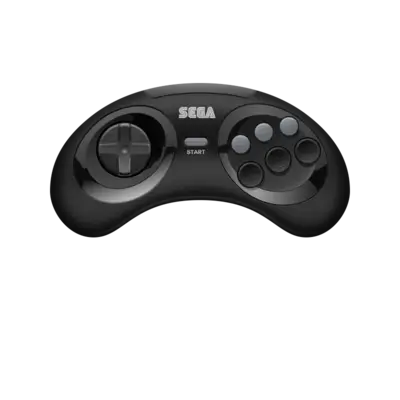
Use the Mega Drive overlay at ../images/controller-overlays/megadrive-1.png. It reflects the 6-button layout expected by most Sega CD titles, including the multi-button controller and optional light gun inputs.
Troubleshooting
- Verify the BIOS and ROM region match—using a PAL BIOS with US discs can cause hangs.
- Prefer CHD containers to avoid missing tracks on CDs with multiple sessions.
- If a Lock-On cartridge fails, toggle the Lock-On option in the Quick Menu or use the patched Mega Drive ROM.
- Consult the generic support pages for additional Sega CD guidance.