Super Game Boy

Overview
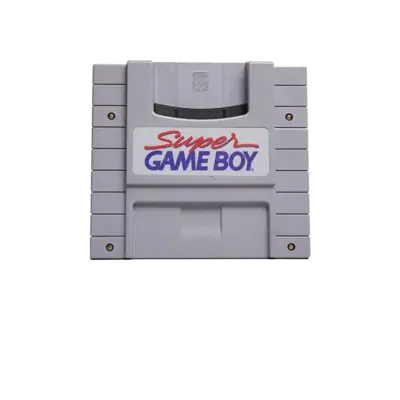
The Super Game Boy sits inside the SNES cartridge slot to play Game Boy cartridges on a television, adding borders, palettes and extra colors. REG-Linux keeps the ROMs under the sgb collection so the matching theme artwork appears while still relying on SNES-capable cores.
Technical specifications
- CPU: Sharp LR35902 (Game Boy) core clocked at 4.19 MHz inside the Super Game Boy cartridge.
- Memory: 8 KB work RAM plus 8 KB video RAM inherited from the Game Boy hardware.
- Display: Original 160×144 Game Boy screen rendered through the SNES PPU with decorative borders.
- Sound: Game Boy APU with two pulse, one wave, and one noise channel routed through the SNES audio pipeline for stereo output.
Quick reference
- ROM folder:
/userdata/roms/sgb - Accepted formats:
.gb,.gbc,.zip,.7z - Emulators:
libretro: mGBA,libretro: mesen-s - System group:
sgb,snes
BIOS
Some SGB cores expect the BS-X cartridge data; copy the provided BIOS files into /userdata/bios/ with these names so cores detect them automatically:
| Filename | Purpose |
|---|---|
BS-X.bin |
Super Game Boy boot ROM |
BS-X2.bin |
Super Game Boy 2 boot ROM |
ROMs
Drop Game Boy/Game Boy Color ROMs (or zipped containers) inside /userdata/roms/sgb. Keep archives flat (no extra folders) and the .zip/.7z files should contain only the .gb/.gbc image. Maintain separate SGB and SNES folders if you want to keep standalone listings, otherwise the SNES and SGB games will share a menu page.
Emulators
libretro: mGBA
mGBA provides excellent SGB compatibility with options for skipping the BIOS, applying palettes, and enabling the SGB border expansions. It shares the standard sgb.* settings (sgb.videomode, sgb.ratio, sgb.shaders, etc.).
libretro: mesen-s
mesen-s replicates the Super Game Boy experience, including animated borders and the SGB 2 clock. Use the Quick Menu to toggle the global.mesen-s_sgb2 timing fix, global.mesen-s_ntsc_filter, and the SGB model selection.
All RetroArch graphics and performance toggles (sgb.gfxbackend, sgb.audio_latency, sgb.video_threaded) apply equally to both cores.
Controls
The SNES overlay (../images/controller-overlays/nes-1.png) works for SGB titles because they mirror the SNES digital pad layout. Use /remapping_controls_per_emulator if you need to assign additional buttons.
Troubleshooting
- Ensure the correct BS-X BIOS is present when the core refuses to load a title.
- Toggle the SGB 2 option or statistics when a game appears too fast.
- Check the generic support pages for additional RetroArch help.