Super Nintendo Entertainment System

Overview
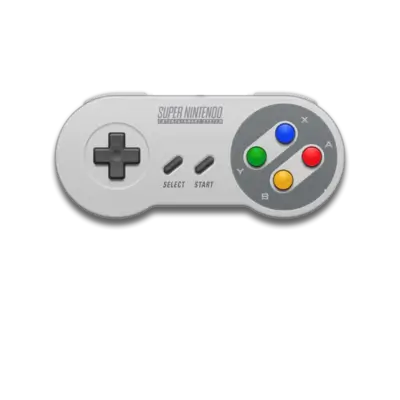
The Super Nintendo Entertainment System (Super Famicom in Japan) is Nintendo’s flagship 16-bit console with Mode 7, eight background layers, and the SPC700 audio engine. REG-Linux uses the snes metadata group to keep your SNES library and themes synchronized.
Technical specifications
- CPU: Ricoh 5A22 (based on the WDC 65C816) running up to 3.58 MHz with integrated DMA and coprocessor extensions for graphics/math helpers.
- Memory: 128 KB main work RAM, 64 KB video RAM, and 64 KB audio RAM for the SPC700 sound engine.
- Display: 256×224 (or 512×448 high-resolution mode) up to 32,768 on‑screen colors and eight background layers with 256 sprites.
- Sound: Sony SPC700 + S-DSP sampler producing 8-bit PCM stereo with 64 KB of dedicated RAM.
Quick reference
- ROM folder:
/userdata/roms/snes - Accepted formats:
.smc,.sfc,.bs,.squashfs,.zip,.7z - Emulators:
libretro: bsnes,libretro: bsnes_balanced,libretro: snes9x,libretro: snes9x_next,libretro: mesen-s,libretro: pocketsnes - System group:
snes
ROMs
Copy SNES images into /userdata/roms/snes. RetroArch supports zipped and SquashFS containers, but avoid nesting directories inside them. Multi-disc games (e.g., some cartridge-based collections) benefit from .m3u playlists listing each .smc/.sfc file. For Super Game Boy broadcasts, keep them under /userdata/roms/sgb and consult that specific page for BS-X requirements.
Emulators
RetroArch cores
Pick the core that best matches your needs:
bsnes(accuracy/balanced/performance builds) focuses on faithful hardware reproduction.snes9xtargets wide compatibility with fewer system requirements.snes9x_nextadds modern enhancements while retaining the SNES feel.pocketsnesandbsnes_balancedaim for portable-friendly settings.mesen-sshines on Super Game Boy content via SGB-specific settings.
All cores expose snes.videomode, snes.ratio, snes.smooth, snes.shaders, snes.pixel_perfect, snes.decoration, snes.game_translation, plus backend selectors snes.gfxbackend, snes.audio_latency, and snes.video_threaded. Access these through [HOTKEY] + south face button.
Core-specific helpers
- Use the Quick Menu overrides for CPU mode (
bsnes) or turbo/hacks (snes9x). - For unsupported features, switch to another core or apply per-game overrides that live inside
overrides/snes/.
Controls
The SNES overlay at ../images/controller-overlays/snes-1.png shows the DualShock-style layout that matches the SNES pad, shoulder buttons, and turbo assignments. Customize any mapping via /remapping_controls_per_emulator.
Troubleshooting
- If DuckStation or
bsnesrefuses to start, switch tosnes9xorpocketsnesfor compatibility. - When a zipped ROM doesn’t load, extract it and launch the raw
.smc/.sfcfile. - Use
.m3uplaylists or the Quick Menu’s Disc Control for multi-part cartridges. - Consult the generic support pages for broader RetroArch or SNES questions.