Super Nintendo MSU-1
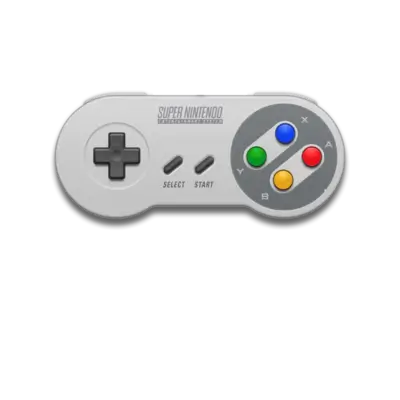

Overview
MSU-1 is the fan-made Super Nintendo enhancement that streams CD-quality PCM audio, CDDA music and large data files while keeping the original cartridge logic.
REG-Linux keeps these ROMs under a separate snes-msu1 system so they appear with their own artwork and metadata while still running via SNES-capable cores.
Technical specifications
- Manufacturer: Nintendo
- Release year: 1991
- Hardware type: console
- EmulationStation group: snes
Quick reference
- ROM folder:
/userdata/roms/snes-msu1 - Accepted formats:
.smc,.sfc,.zip,.7z,.squashfs - Emulators:
libretro: bsnes,libretro: bsnes_hd,libretro: snes9x,libretro: snes9x_next,libretro: pocketsnes - System group:
snes-msu1, optionalsnes
ROMs & assets
Each MSU-1 patch bundles the base SNES ROM (.smc/.sfc) plus an MSU-1 folder containing track-by-track PCM audio, optional streaming data and the .msu header file describing the streams. Store the ROM and its MSU data under /userdata/roms/snes-msu1/<Title>/, keeping the audio files inside MSU-1 or similar subfolders referenced by the header. Zip or SquashFS archives are acceptable as long as they only contain the ROM and its MSU directory; avoid extra subdirectories.
When the ROM loads, the core reads the header and automatically binds the audio tracks to the emulated CD bus.
Emulators
RetroArch / bsnes / snes9x cores
RetroArch exposes MSU-1–capable cores (bsnes, bsnes_hd, snes9x, snes9x_next, pocketsnes). Open the Quick Menu ([HOTKEY] + south face button) to toggle the standard SNES options (snes.videomode, snes.ratio, snes.shaders, snes.gfxbackend, snes.audio_latency, snes.video_threaded). Use per-game overrides to lock in settings such as:
snes.dual_cpu_mode/snes.cpu_clock(bsnes) for speed ceilings.snes.nine_slot_offsetor custom MC features for patch compatibility.
Enabling Fast Boot in the Quick Menu also ensures MSU-1 games load quickly without rerunning the BIOS.
Controls
The SNES overlay at ../images/controller-overlays/snes-1.png reflects the DualShock-style layout required by most MSU-1 hacks. Bind any extra hotkeys (e.g., cycle tracks, reset) via /remapping_controls_per_emulator.
Troubleshooting
- Verify each MSU header specifies track filenames that exist inside the MSU folder.
- Use
bsnesorsnes9xbecause some lightweight ports drop MSU-1 support. - Keep MSU ROMs separate from standard SNES images so overrides and cheats stay tidy.
- For general RetroArch help see the generic support pages.