SuFami Turbo

Overview
Bandai’s SuFami Turbo (1996) is an add-on for the Super Famicom with dual cartridge slots that let paired titles share graphic and audio assets. REG-Linux assigns these ROMs to the sufami system so they remain discoverable alongside the SNES listings.
Technical specifications
- CPU: Ricoh 5A22 (Super Nintendo) processor clocked at 3.58 MHz.
- Memory: Uses the SNES’s 128 KB work RAM and 64 KB VRAM while the adaptor adds 256 KB buffering for Sufami Turbo cartridges.
- Display: SNES PPU with Mode 7/scaling capable of 256×224 resolution and rich palette effects.
- Sound: Sony SPC700 8-bit PCM audio processor shared with the host SNES system.
Quick reference
- ROM folder:
/userdata/roms/sufami - Accepted formats:
.st,.fig,.bs,.smc,.sfc,.zip,.7z - Emulator:
libretro: snes9x - System group:
sufami, optionalsnes
BIOS
Place bios/STBIOS.bin in /userdata/bios/. The SNES core requires this to boot proper SuFami Turbo content.
| MD5 checksum | Filename |
|---|---|
d3a44ba7d42a74d3ac58cb9c14c6a5ca |
bios/STBIOS.bin |
ROMs
Store each SuFami Turbo cartridge (and any companion ROM) inside /userdata/roms/sufami. Keep the paired image files together, as the BIOS links them automatically when you launch the .st or .fig file.
Emulation
libretro: snes9x handles the SuFami Turbo hardware with its usual SNES option tree (snes.*). RetroArch also exposes SuFami-specific settings such as graphics backend, audio latency, and threaded video. Access them through [HOTKEY] + south face button or in EmulationStation’s advanced options.
Shared settings to tweak:
sufami.gfxbackend,sufami.audio_latency,sufami.video_threadedglobal.reduce_sprite_flicker,global.overclock_superfx,global.hires_blend(when running Super FX-boosted SuFami tiles)
Controls
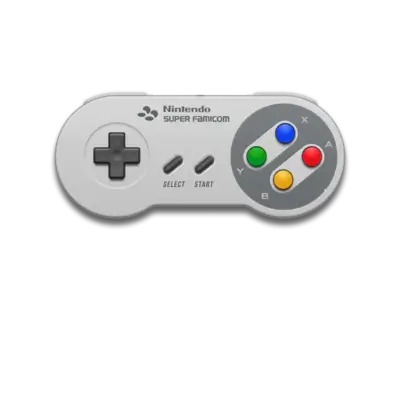
The overlay in ../images/controller-overlays/snes-1.png matches the controller layout the add-on uses. Remap buttons whenever a title expects extra inputs.
Troubleshooting
- Double-check the BIOS MD5 and re-add it if
snes9xrefuses to read the cartridges. - Keep ROMs zipped only if the archive contains nothing but the ROM and related
.msuor.bsdata. - If the game skips or shows glitches, adjust sprite-limit and CPU/hardware emulation overrides per game.
For general help refer to the generic support pages.